
If you are searching for how to dispute Google LSA leads, start with the fact that changes everything: Google says manual lead disputes are no longer supported. There is no form to file. What remains is a feedback process. You rate the lead, Google's systems evaluate it, and Google decides whether to credit it. This guide walks through the steps that still work. If you need the background first, see how Local Service Ads work.
Quick answer: You can't file a manual dispute anymore. Here is what works instead. Find the lead on the Leads page, check its Charge Status, complete the Rate this lead survey, and give Google's automated evaluation time to run. A credit may follow. Google decides.
One thing before the steps: a charged lead you answer is worth more than a credit you might get. That is why LSA Command gets 100% of calls answered within 30 seconds. More on that below.
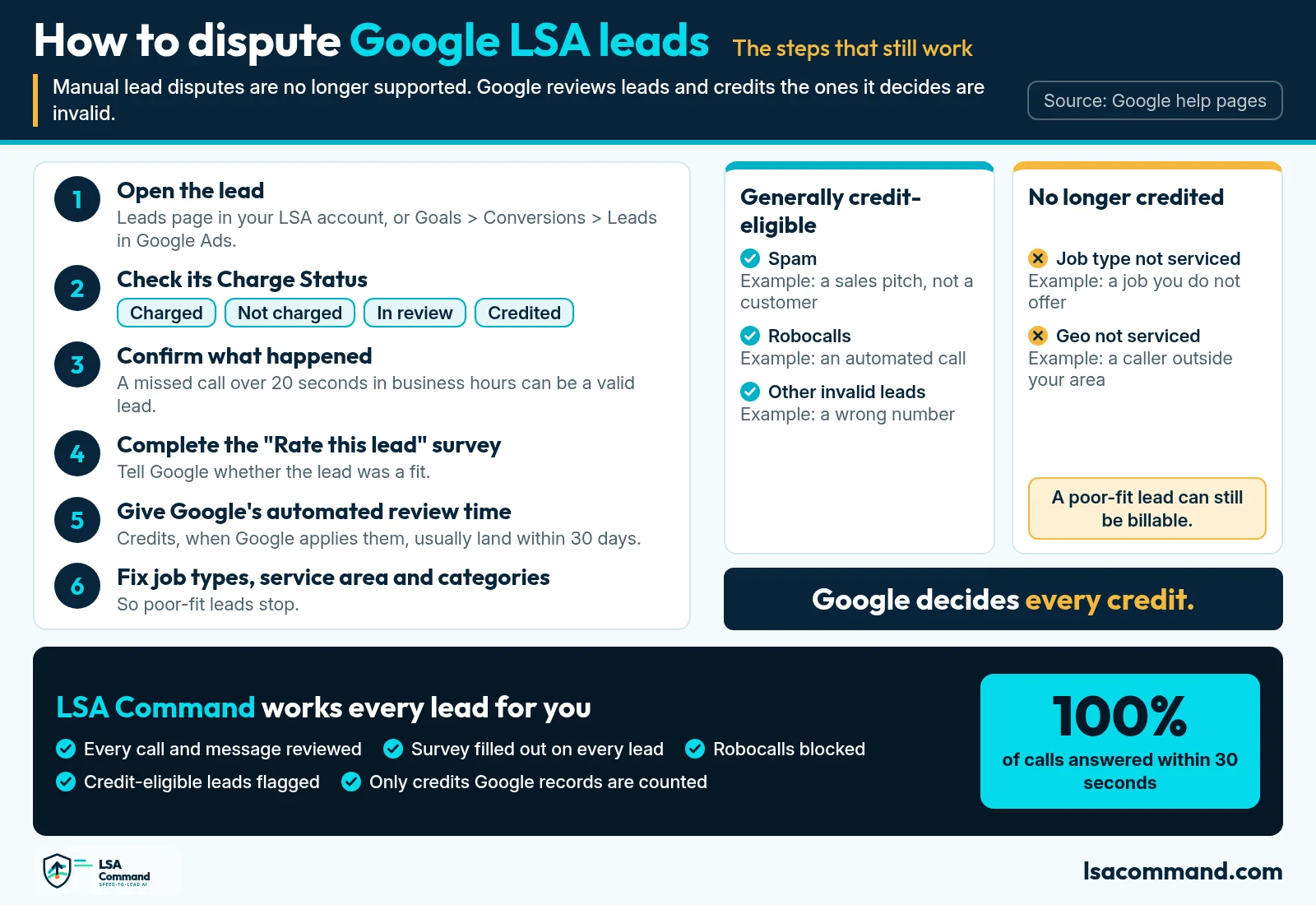
What the video covers
- 0:00 How to dispute Google LSA leads
- 0:12 Then: manual disputes. Now: automated lead credits
- 0:26 Rate every lead
- 0:36 Usually eligible: spam, robocalls, invalid
- 0:52 Fix settings first
- 1:02 Every call and message reviewed
- 1:12 Credit-eligible leads flagged
- 1:23 lsacommand.com and 989-712-4370
How Google LSA lead disputes work now
Google's help page on lead quality for campaigns with pay-per-lead goals states the new process directly: "While manual lead disputes are no longer supported, invalid leads are automatically detected and credited by backend systems. If you receive an invalid lead, select the lead on the Leads page and complete the Rate this lead survey. Submitting this feedback initiates an automated evaluation, which can result in a reimbursement reflected under your Charge Status column."
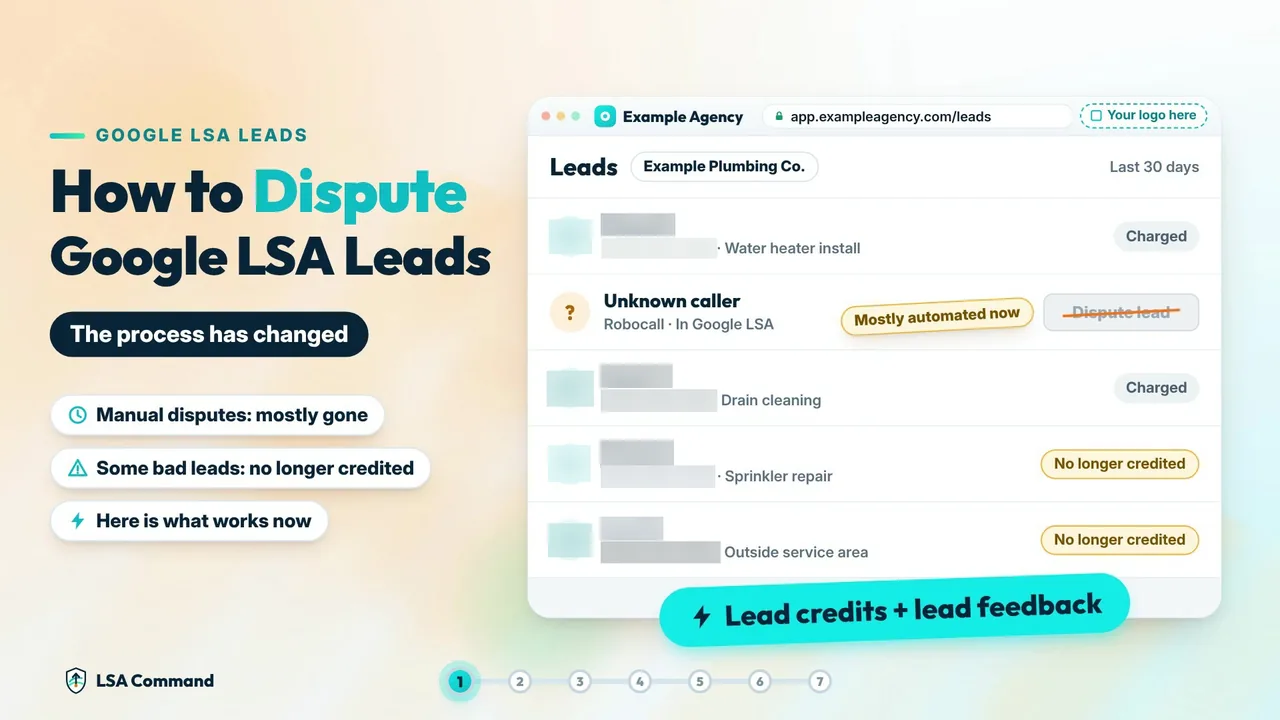
The older Local Services Ads dashboard runs on automated credits too. Google's automated lead credits page says leads are assessed at first contact, and invalid or low-quality leads are not charged. Charged leads are then reassessed by Google's models over time and may be credited automatically.
Google is also moving existing LSA campaigns, in phases, into a Performance Max campaign type with pay-per-lead goals. Its transition page repeats the point: "Manual lead disputes are no longer supported."
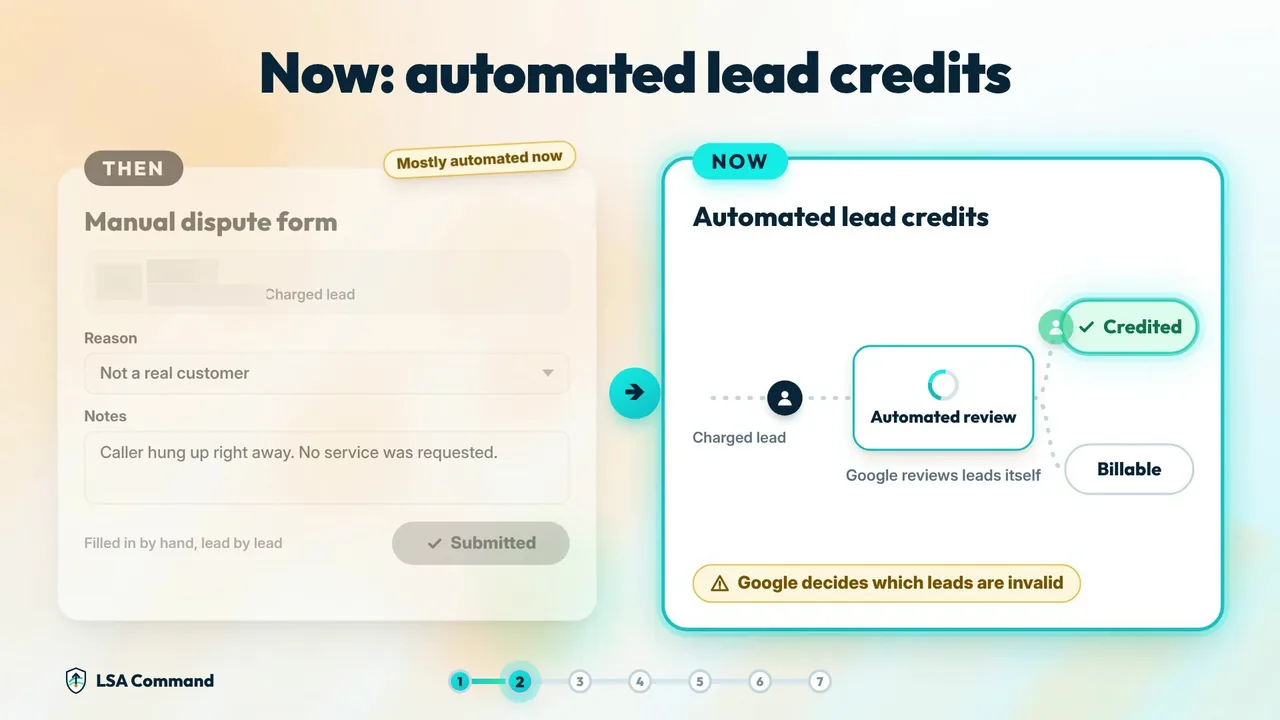
So "disputing" a lead today means two things: giving Google feedback, and watching the lead's Charge Status. Google's how leads work page lists four statuses (Charged, Not charged, In review, Credited) and says lead quality is assessed over a 30-day period.
Which leads usually qualify for a credit, and which don't
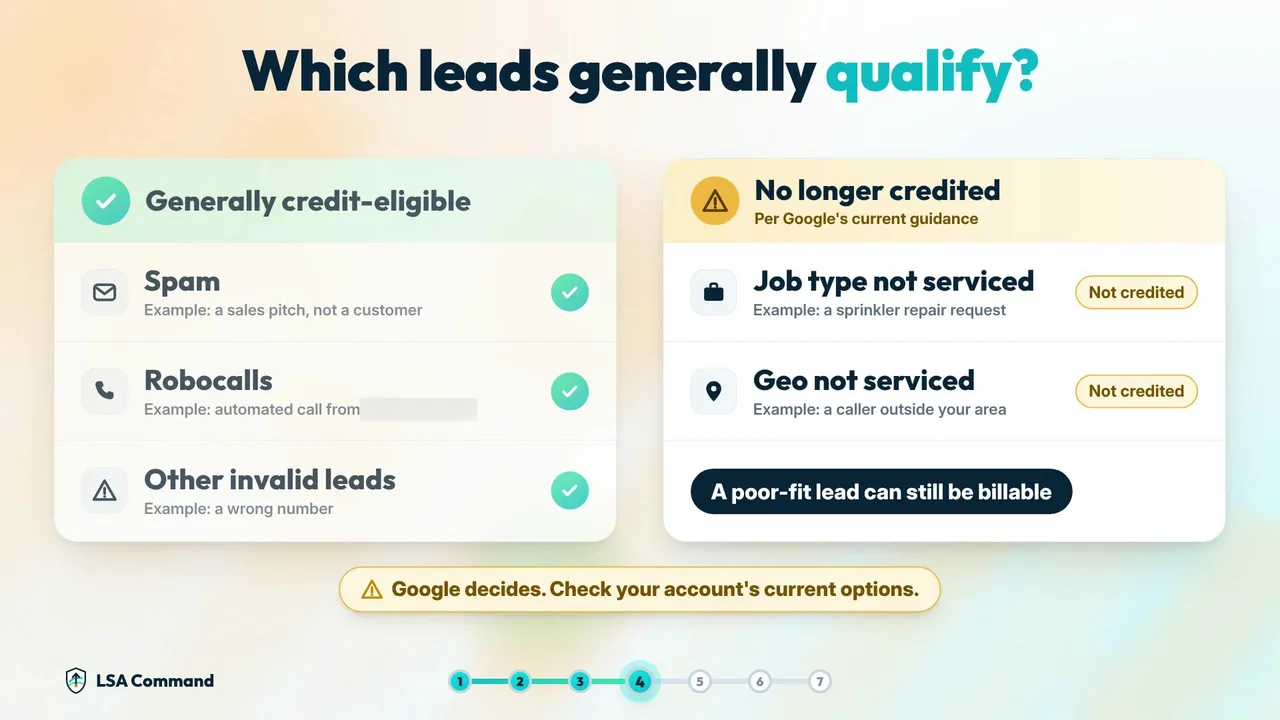
Most frustration comes from expecting a credit for a lead Google considers valid. A poor-fit lead can still be billable. This table sticks to what Google's help pages say.
| Lead type or situation | What Google says | What to do |
|---|---|---|
| Spam, solicitation, robocalls, immediate call drops, wrong numbers | Filtered as invalid, so not charged. If one is charged, it may be credited automatically. | Rate the lead and check Charge Status. |
| Repeat contact from the same customer within 15 days | Not charged again. | Confirm the status is Not charged. |
| Job type not serviced | No longer credited. | Turn off the job type. |
| Geo not serviced (outside your area) | No longer credited. | Tighten the service area. |
| Missed call in business hours, caller on the line more than 20 seconds | A valid lead, and charged. | Get every lead call answered, or adjust business hours. |
| Call goes to voicemail or an automated greeting in business hours, caller on the line more than 20 seconds | Treated as connected, and charged. | Have a person or the AI answer; rate the lead. |
| Health care verticals, tax specialists, advertisers in EMEA | Credits are not available. | Focus on settings and lead feedback. |
Sources: lead quality and budgets, automated lead credits, and how leads work.
How to dispute Google LSA leads, step by step
- Find the lead. In a Local Services Ads account, open the menu and go to Leads. If the account has moved into Google Ads, go to Goals, then Conversions, then Leads. Select the lead.
- Check its Charge Status. Google uses four statuses: Charged, Not charged, In review and Credited. Not charged or Credited means there is nothing to recover. In review means Google is still evaluating. Charged is the one to work on.
- Confirm what actually happened. Listen to the recording or read the message thread. Be careful with missed calls: Google's current help page says a missed call during business hours is a valid lead if the caller stays on the line for more than 20 seconds. A missed call is not automatically a disputable lead. See how to check a missed-call charge.
- Complete the Rate this lead survey. With the lead selected, choose Rate this lead and answer honestly. Google says submitting this feedback initiates an automated evaluation, which can result in a reimbursement shown in the Charge Status column. Rate the good leads too: Google says the survey helps it send better-suited leads.
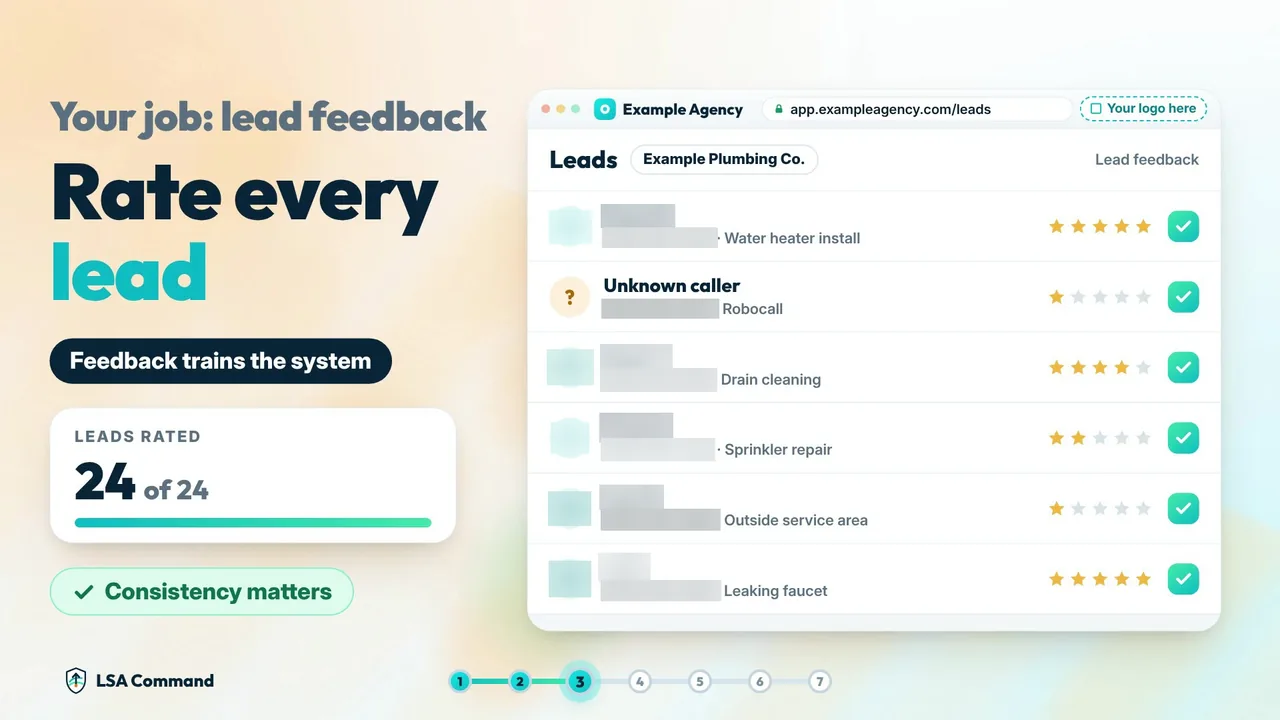
From the video: your job is lead feedback. Rate every lead, not only the bad ones. The leads and ratings shown are sample data. This is an illustrative LSA Command screen, not Google's survey. - Wait for Google's automated evaluation, and keep a record. Google says that in most cases credits are applied within 30 days, and the original charge still appears on the invoice. Log the lead ID, your rating and the date you submitted it, then check Charge Status again after about 30 days. Google decides the outcome.
- Fix the setting that let the lead in. If the lead was the wrong job or the wrong area, no credit is coming. Change the setting so that lead type stops arriving. The next section covers how.
For help working through a single lead, try the free LSA lead dispute helper. Want these steps handled on every lead for your clients? Book a 30-min call with our team. The call includes an LSA account audit of one client account. You can also call or text 989-712-4370.
Fix the settings that create bad leads
Because Google no longer credits "job type not serviced" and "geo not serviced" leads, prevention is the only fix for those. Google's own advice, if you are receiving unwanted leads, is to revisit your service areas, job types and categories.
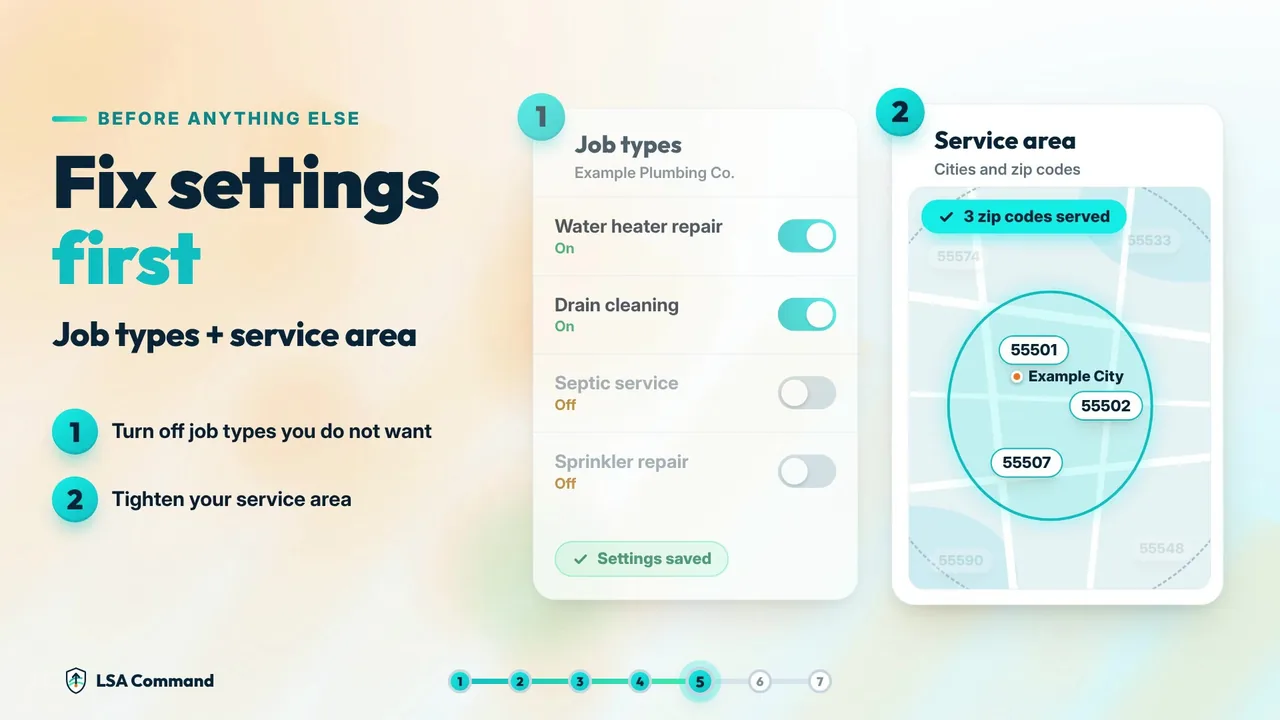
- Job types: switch off every service the business does not want to be called about.
- Service area: trim it to where the crew will actually drive. See the guide to LSA service area targeting.
- Categories: make sure the profile is listed only under the work the business does.
- Business hours: missed calls during business hours can be charged, so list the hours when calls will be answered. Answer speed matters here too: see the Google LSA phone response score.
For the full list of causes and fixes, read why bad Google LSA leads happen.
Doing this across every client account
Six steps per lead is manageable for one account. Across a client book, it means listening to every call and filling out every survey, every week. That is the work LSA Command does for agencies, under the agency's logo. Built for agencies only. We don't sell to business owners directly.
The client's team gets the first 10 to 15 seconds to pick up, then the AI answers. AI messaging replies to message leads instantly. Across three pool contractors, leads answered within 30 seconds rose from 28% to 100% between December 2025 and April 2026 (April is month to date through April 23), and the average lead quality score rose from 2.43 to 3.87. See the case studies.
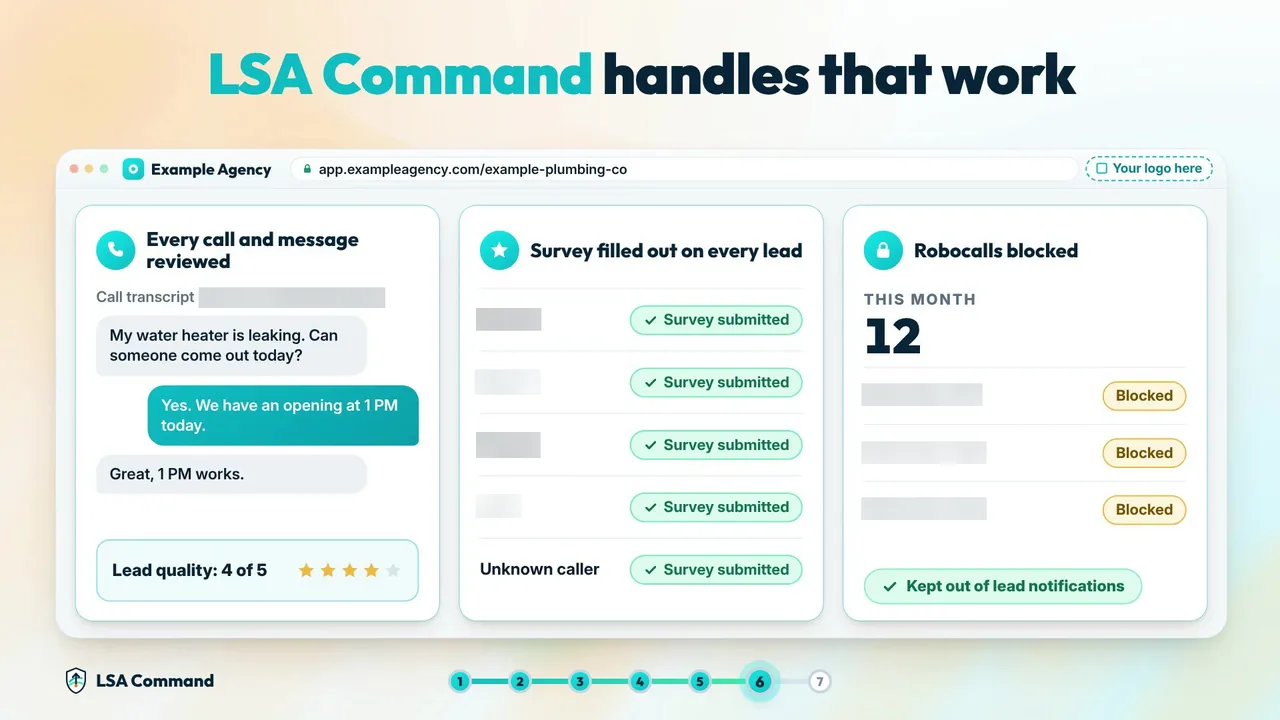
- Every call and message is reviewed, with notes (AI summary, transcript and recording) on every lead.
- Branded text and email notifications go out under your agency's brand and logo.
- Google's 1 to 5 lead survey is filled out on every lead, so every lead is rated back to Google.
- Robocalls are blocked before the client's phone rings and kept out of the lead count.
- Credit-eligible leads (spam, robocalls, wrong numbers, invalid) are flagged.
- High-value leads identified, with a weekly lead summary.
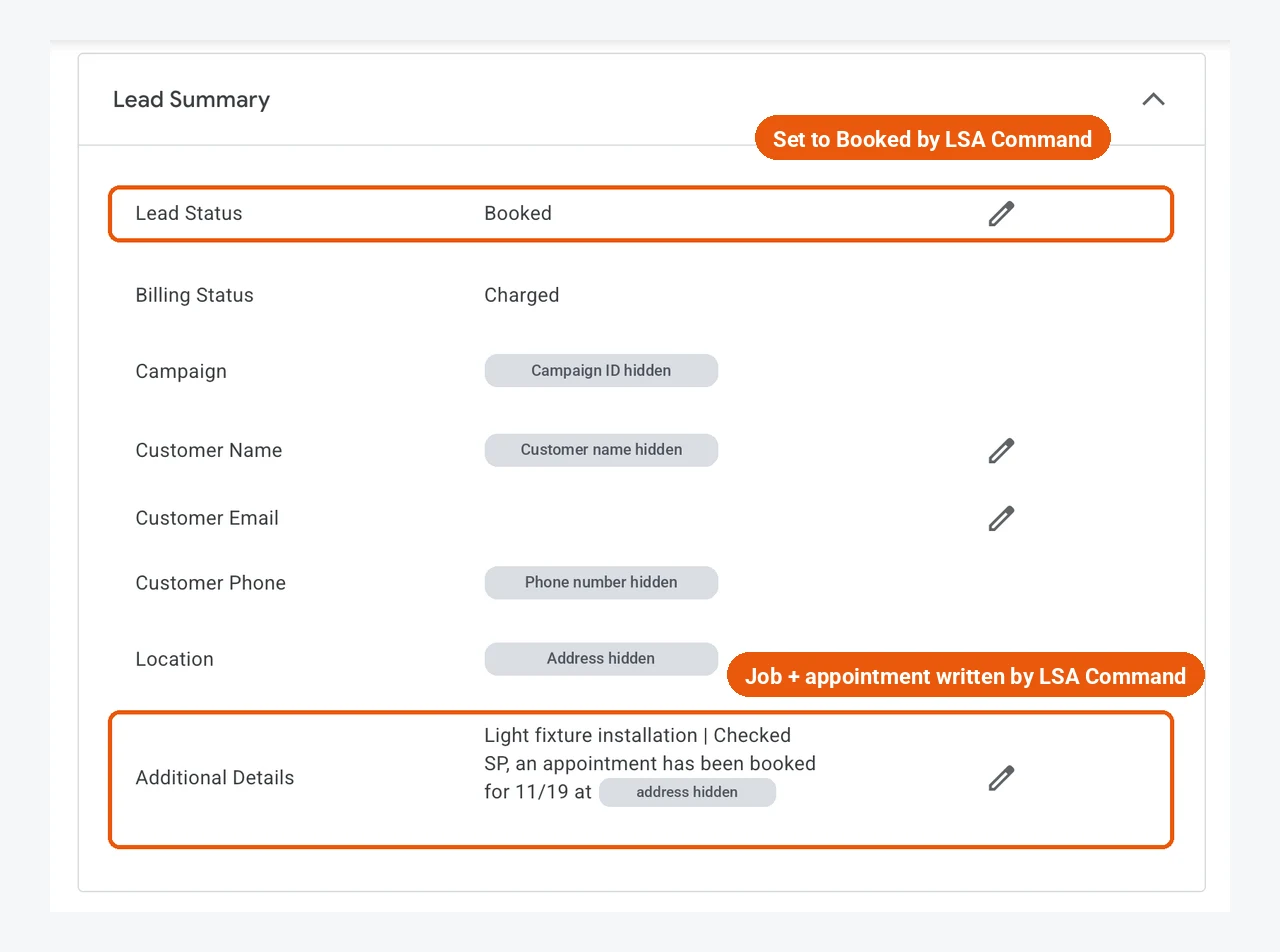
- Booked calls are marked Booked inside Google's LSA platform, with the job and appointment written into Additional Details.
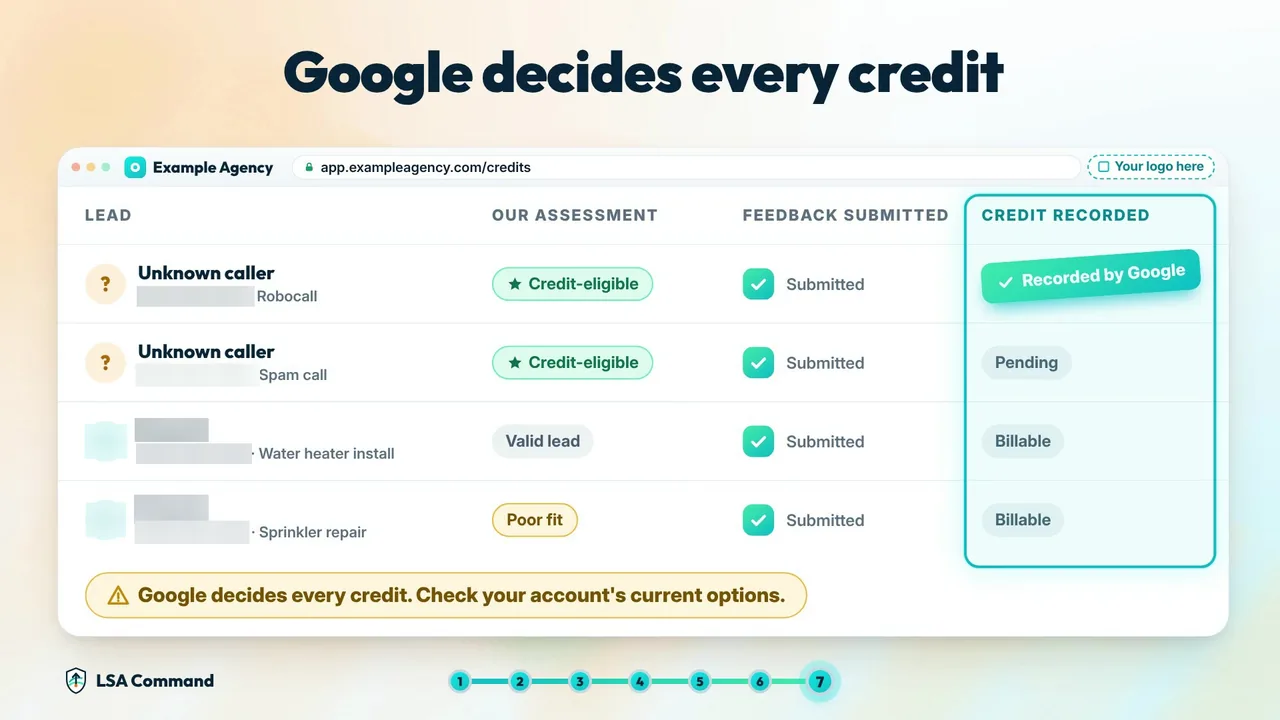
Credits are tracked in three separate columns: our assessment, feedback submitted, and credit recorded by Google. A credit only counts once Google records it. From the lead disputes and credits page: "One real month from our dashboard: 206 leads monitored and 3 credits recorded by Google, worth $110.64. Your numbers will depend on your trade, market and lead mix, and Google decides which leads are credited."
If you want lead feedback and credit tracking handled for every client, see lead disputes and credits with LSA Command. For the agency process itself, see running lead disputes and credit reporting across client accounts.
Booked calls are marked inside Google's LSA platform
Lead feedback covers the bad leads. The good ones need a record too. When the AI books an appointment on a Google LSA call, LSA Command's terminal bot fills out the Lead Summary directly inside Google's own LSA platform: it sets Lead Status to Booked, fills in Customer Name and Location, and writes the job and the appointment into Additional Details. No copy-pasting.
Want to see this on one of your own client accounts? Book a 30-min call with our team. The call includes an LSA account audit of one client account. You can also call or text 989-712-4370.
Black Friday offer for agencies: Get 5 client locations live on LSA Command by December 15, 2026, and the first month is free on every location you add before December 15. Offer ends December 15, 2026. Book a 30-min call with our team.
Frequently asked questions
- Can I still dispute a Google LSA lead manually?
- No. Google's help pages say manual lead disputes are no longer supported. Instead, select the lead on the Leads page and complete the Rate this lead survey. Google says that feedback initiates an automated evaluation, which can result in a reimbursement shown in the Charge Status column. Google decides the outcome.
- How long do LSA credits take?
- Google says that in most cases credits are applied within 30 days. The original charge still appears on the invoice, so check the lead's Charge Status for Credited instead of waiting for the charge to disappear.
- Why didn't I get a credit for an out-of-area lead?
- Google no longer supports credits for geo not serviced or job type not serviced leads. A lead from outside your preferred area can still be billable. The fix is in your settings: Google's guidance is to revisit your service areas, job types and categories.
- Am I charged for missed calls?
- You can be. Google's current help page says a missed phone call during your business hours is a valid lead when the customer stays on the line for more than 20 seconds. A call that goes to voicemail or an automated greeting during business hours is treated as connected and is charged on the same 20-second rule. A missed call is not automatically a lead Google will credit.
- Can my agency do this for every client?
- Yes. LSA Command reviews every call and message, fills out Google's lead survey on every lead, flags credit-eligible leads, and tracks credits in three columns: our assessment, feedback submitted, and credit recorded by Google. When the AI books an appointment, it also sets Lead Status to Booked inside Google's LSA platform. A credit only counts once Google records it. It is $200 per month per client, voice AI included, with no setup fee. Google's lead charges are separate and billed by Google. LSA Command works only with agencies, not with business owners directly. Book a 30-min call with our team.
Put lead feedback on autopilot
Every lead rated back to Google, credit-eligible leads flagged, and 100% of calls answered within 30 seconds, for $200 per month per client. Voice AI and every feature are included, there is no setup fee, and setup usually takes one call. Google's lead charges are separate and are billed by Google to the advertiser. LSA Command works only with agency owners who manage Google LSA for clients. The call includes an LSA account audit of one client account.