
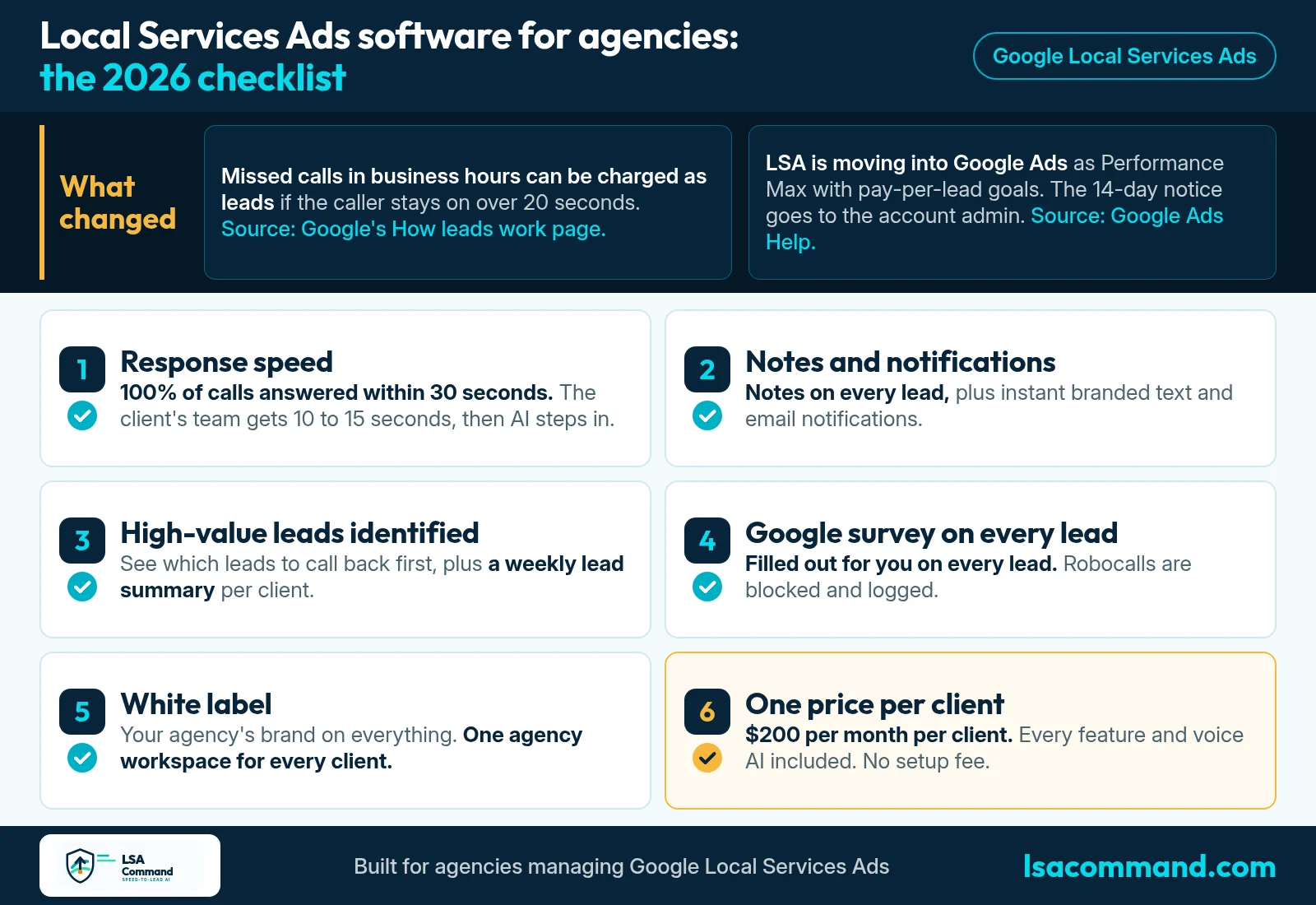
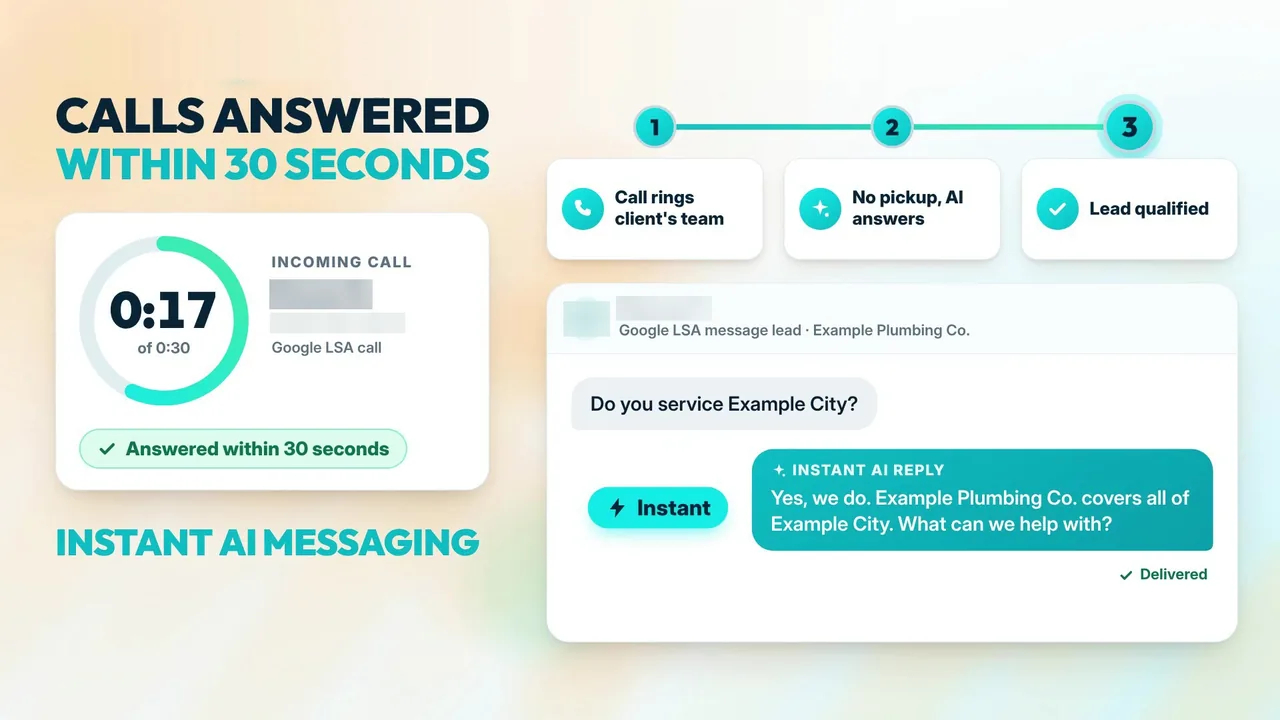
If you are shopping for Local Services Ads software for agencies, start with one question: will it get 100% of your clients' calls answered within 30 seconds? That is the first thing to demand. The flow should work like this. The client's team gets the first 10 to 15 seconds to pick up. If nobody does, the call goes to the AI, which answers. Message leads get an instant AI reply.
This post is a buyer's checklist for agency owners who run Google LSA for a whole client book. It covers two Google changes that raise the stakes in 2026, six things to ask any vendor, and how LSA Command scores on each. LSA Command is built for agencies only. We don't sell to business owners directly. If you need the basics first, read how Local Service Ads work.
What the video covers
- 0:00 Local Services Ads software for agencies
- 0:13 What changed for agencies in 2026
- 0:31 Notes on every lead and notifications
- 0:45 High-value leads identified and weekly lead summary
- 0:54 Google survey filled out and robocalls blocked
- 1:04 Calls answered within 30 seconds and instant AI messaging
- 1:17 White label, $200 per month per client
- 1:29 lsacommand.com and 989-712-4370
Why Local Services Ads software for agencies matters more in 2026
An agency has one job across the client book: keep every account healthy. Two Google changes make that job harder to do by hand.
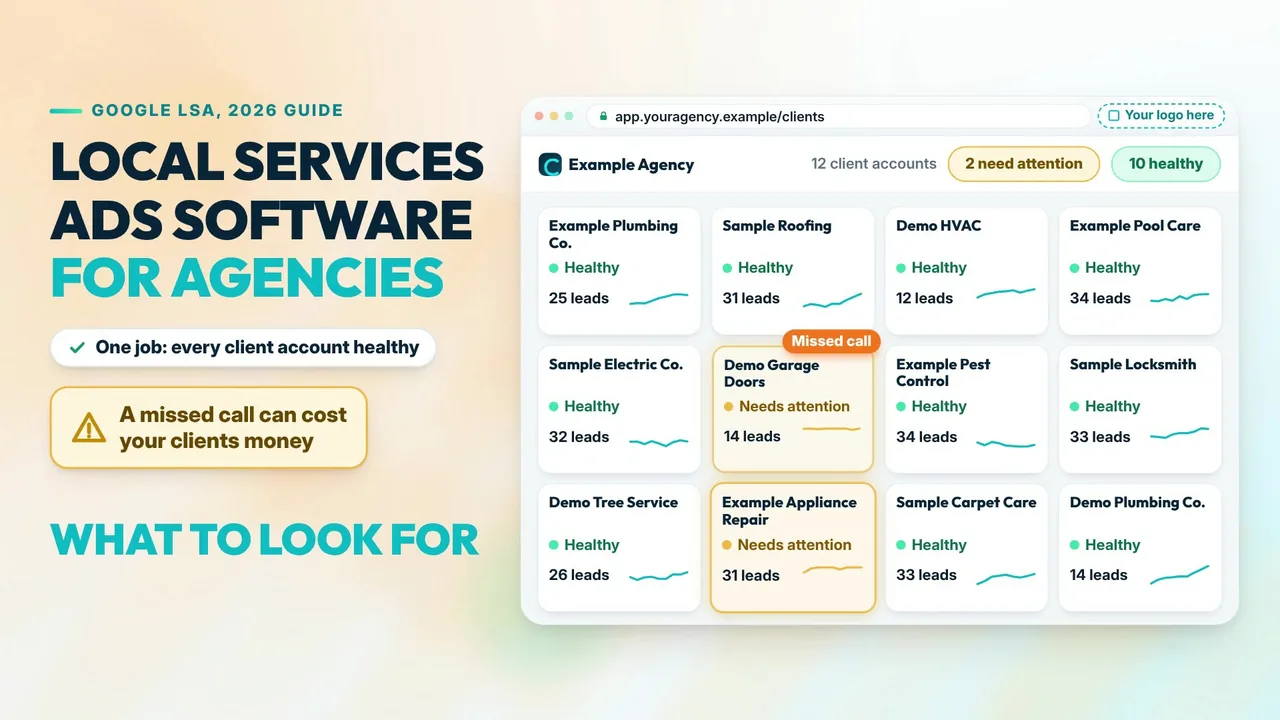
A missed call can be a charged lead. Google's current help page on how leads work says you pay for valid leads, and that a valid lead includes a missed phone call during your business hours where the customer stays on the line for more than 20 seconds. A call that goes to voicemail during business hours is treated as connected and charged on the same 20-second test. Our guide to LSA missed-call charges shows how to check a bill. For the full picture, see what happens when a Local Service Ads lead calls and nobody answers.
LSA is moving into Performance Max with pay-per-lead goals. Google's page on the move to Performance Max with pay-per-lead goals says existing LSA campaigns are being migrated automatically, in phases, to a specialized Performance Max campaign type with pay-per-lead goals. Ads still show on Search and Maps, and you still pay per lead. Three details matter for agencies:
- The advance email goes to the account administrator 14 days before migration. That may be your client, not you.
- Historical performance reports do not carry over, so download them first. Past leads do carry over to the Leads page.
- In Google's words: "Manual lead disputes are no longer supported."
The agency migration playbook covers the steps. The takeaway here: speed and lead feedback now have to happen on every lead, on every account.
The checklist: six things to demand
1. Response speed: every call answered within 30 seconds
Ask the vendor for a number, not a promise. The standard is 100% of calls answered within 30 seconds, day or night, weekends included. The client's team should ring first for 10 to 15 seconds, so their people keep the first chance at every call. Then the voice AI answers. It should be able to transfer the call to the client's team and book appointments on the calendar. Message leads need the same speed: an instant AI reply. See how AI call answering and message lead response work, and what Google measures in the Google LSA phone response score.
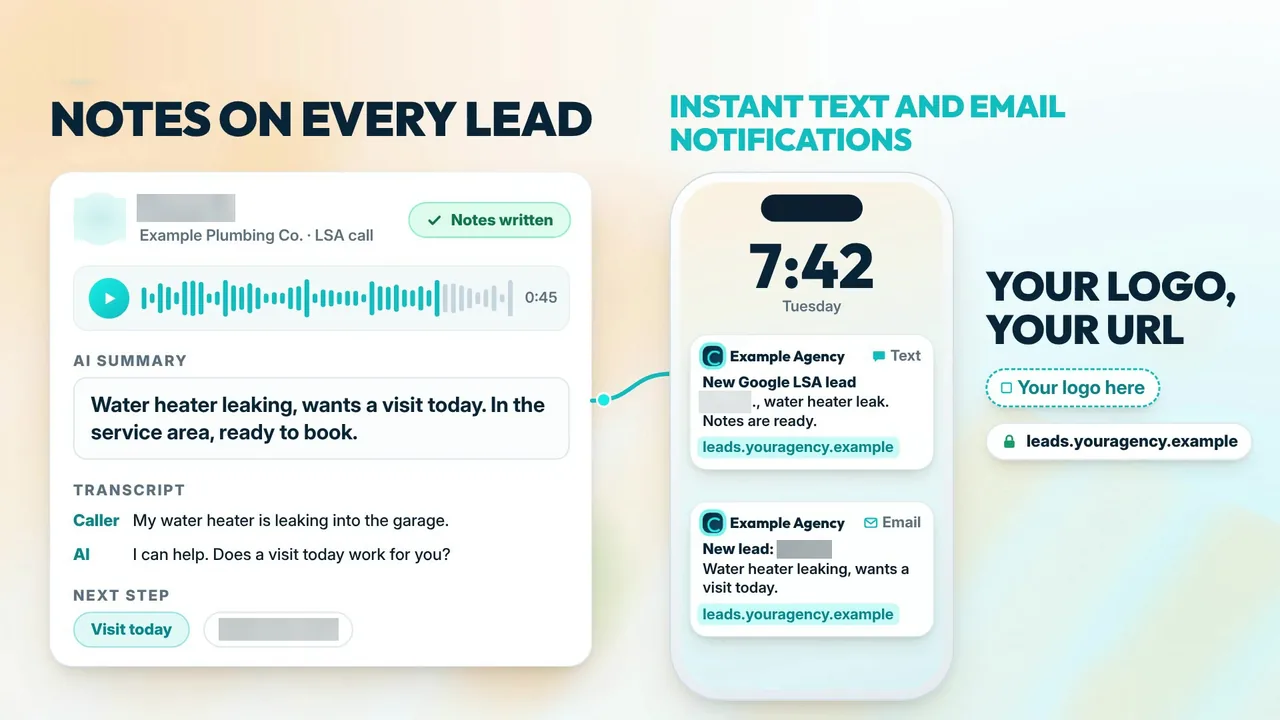
2. Notes on every lead, plus instant notifications
Every lead should carry notes: an AI summary, the transcript and the recording. Ask where those notes live. The best answer is on the lead itself, written onto the lead in Google LSA, so the account's own record has the context. Then ask about notifications. They should go out instantly by text and email, under your agency's brand, to the client, the agency, or both. More on notes and notifications.
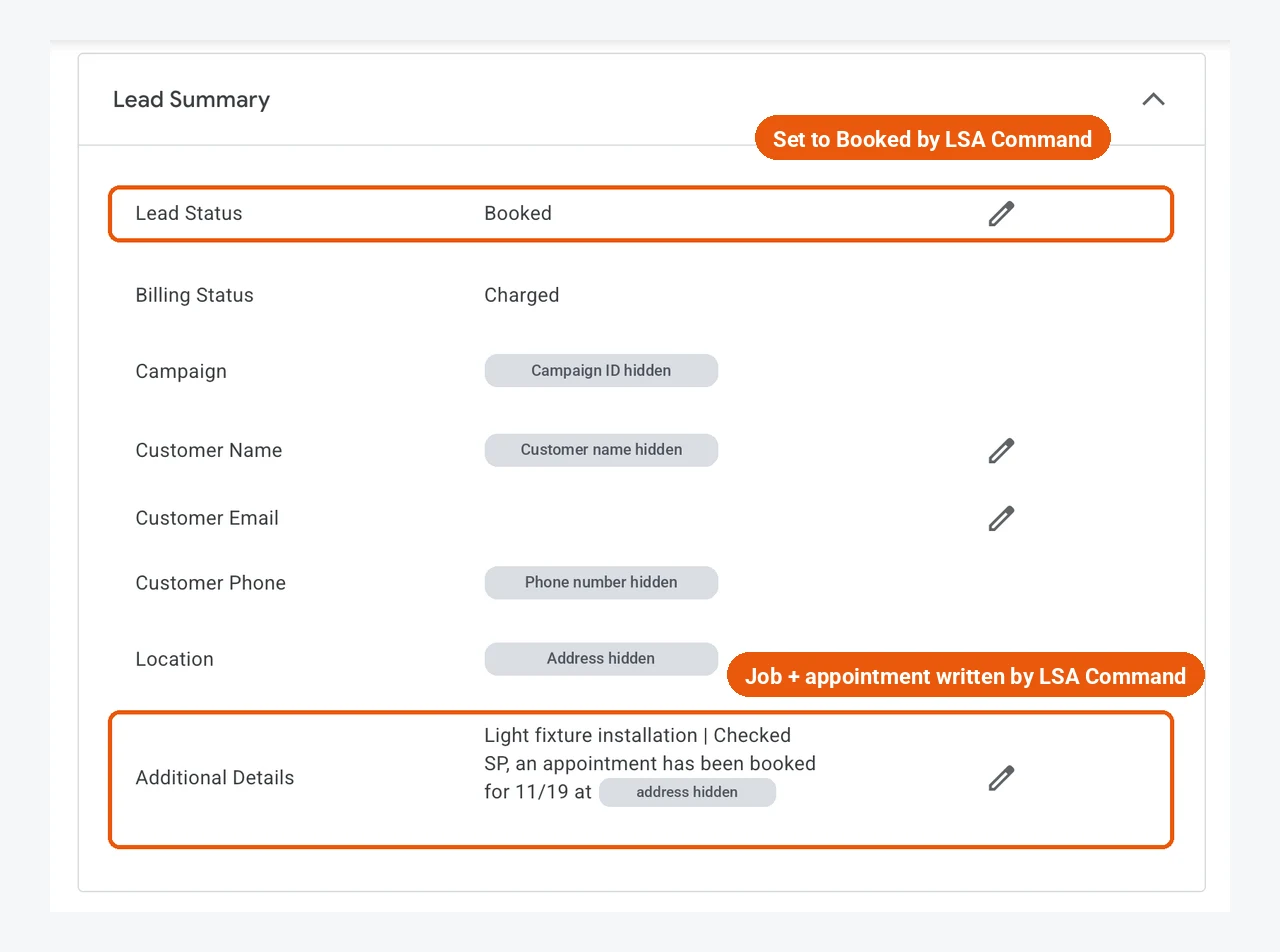
Ask what happens after the AI books a job. When the AI books an appointment on a Google LSA call, LSA Command's terminal bot fills out the Lead Summary directly inside Google's own LSA platform. It sets Lead Status to Booked, fills in Customer Name and Location, and writes the job and the appointment into Additional Details. No copy-pasting.
3. Priorities: High-value leads identified
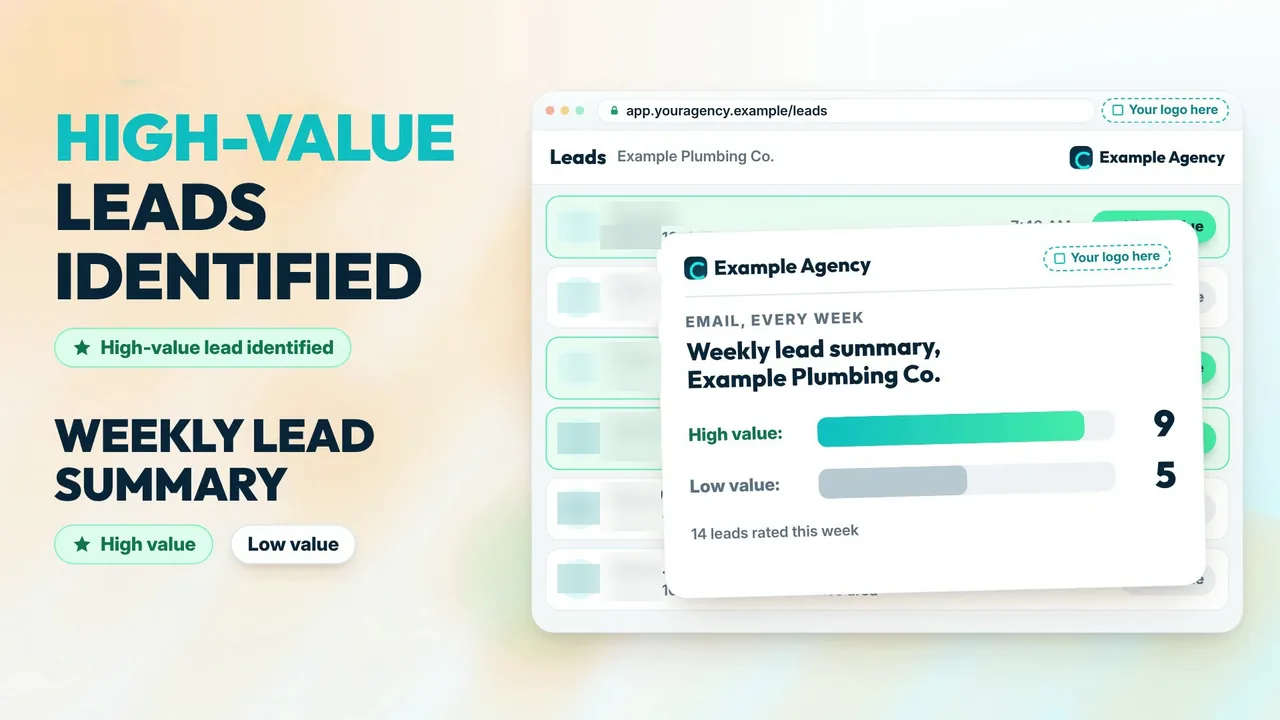
A busy client cannot treat every lead the same way. Good software sorts them. Look for two things: High-value leads identified as they arrive, so the client knows which to call back first, and a weekly lead summary that rates each lead high or low value. That summary is also your answer when a client asks what the ads produced this week. For full client reporting, see LSA reporting software for agencies.
4. The busywork: survey, robocalls and lead feedback
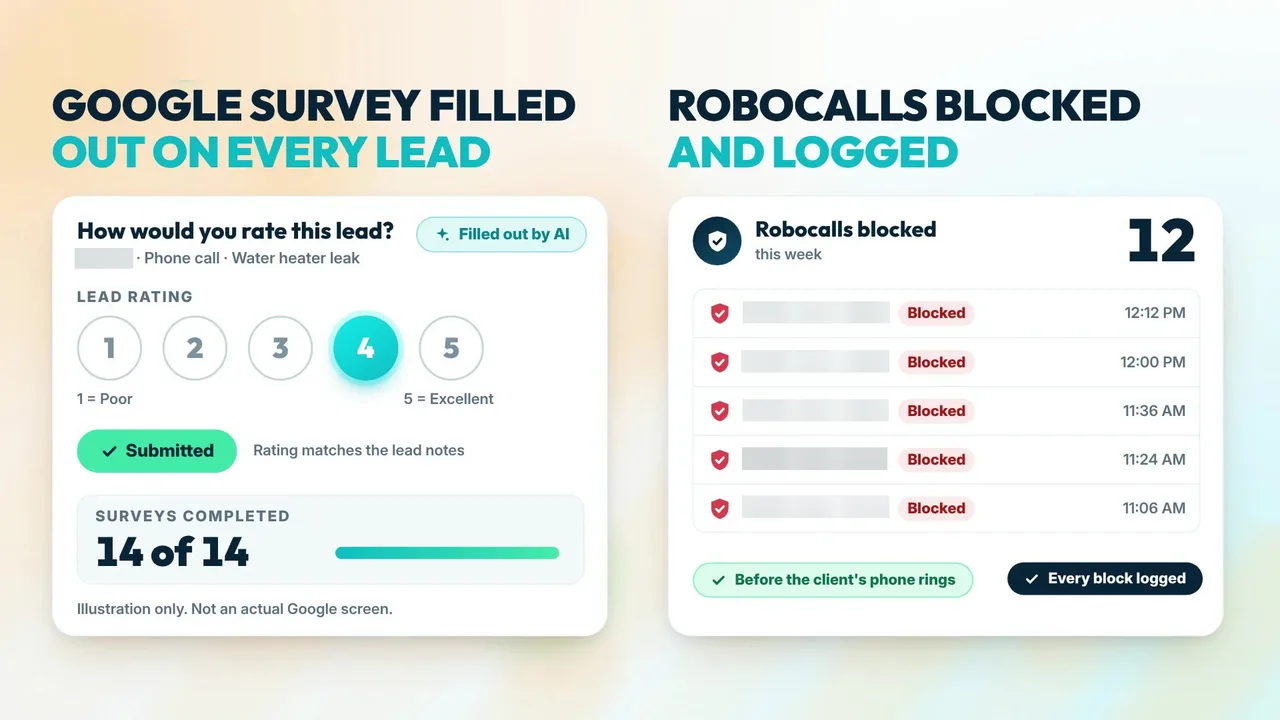
Nobody on your team wants to rate every lead for every client. Ask whether the software does it: Google's 1 to 5 lead survey filled out on every lead, robocalls blocked before the client's phone rings with each block logged, and credit-eligible leads flagged. Ask how credits are counted, too. Google decides every credit, so no vendor should promise one, and a credit should only count once Google records it. More on lead disputes and credits.
Google's page on automated lead credits says charged leads are reassessed by its models over time and may be credited automatically. Google's page on lead quality for pay-per-lead campaigns says completing the "Rate this lead" survey on an invalid lead starts an automated evaluation, which can result in a reimbursement.
Set expectations with clients. Google's automated lead credits page also says it no longer supports credits for "job type not serviced" and "geo not serviced" leads, and that credits are not available for health care verticals, tax specialists, or advertisers in EMEA. If a client keeps getting unwanted leads, Google's advice is to revisit service areas, job types and categories.
5. White label and one agency workspace
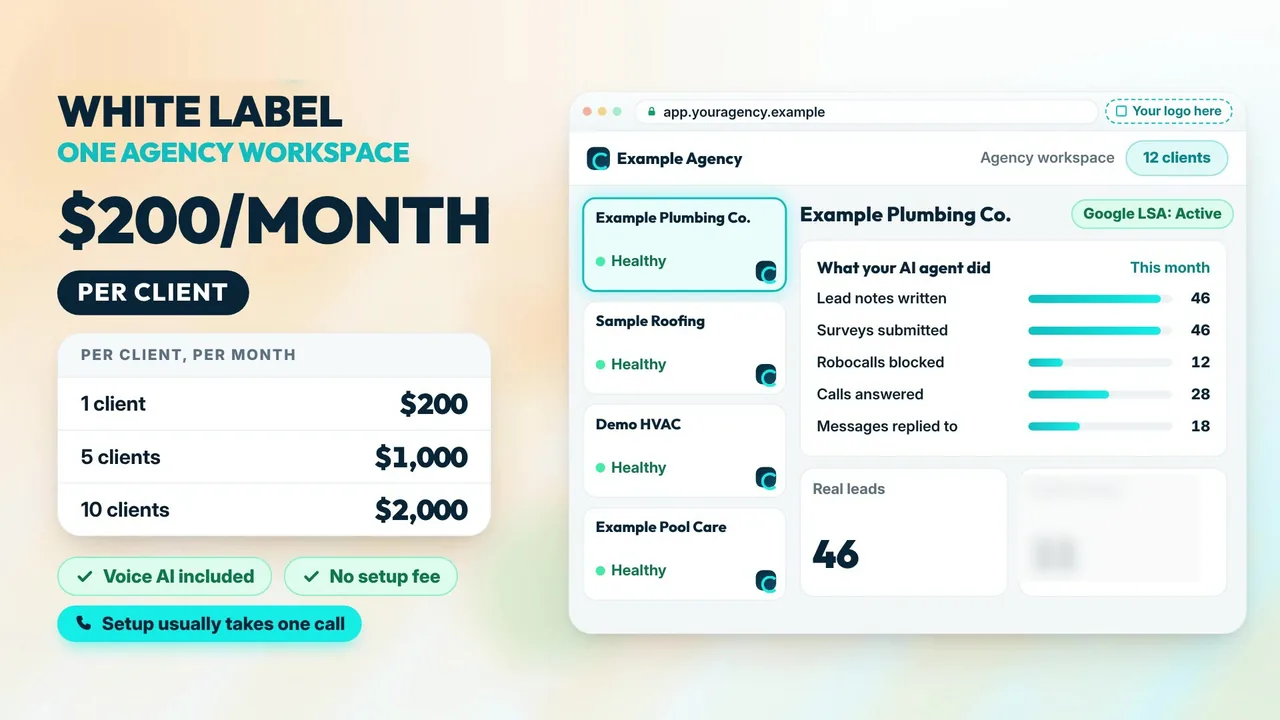
Your clients hired your agency, so the software should carry your logo and your URL. You should also run the whole client book from one agency workspace. Ask whose name is on the text and email notifications, whose URL the client logs in at, and whether each client sees only their own leads. For what Google's own view shows per account, see the Google LSA dashboard. Related guides cover the neighboring jobs: multi-account LSA software (client separation, account mapping, lead routing), white-label Local Services Ads for agencies (packaging the service), and LSA CRM integration.
6. Pricing you can put in a proposal
You need a price you can quote without a spreadsheet. Look for a flat per-client price with everything included and no setup fee. Ask about per-minute voice fees, setup fees, minimums and contract terms. Then you can set your own client price and know your margin on day one. Google's lead charges are separate. Google bills those to the advertiser. LSA Command pricing explained breaks down the math, and the setup guide shows the one-call setup.
How LSA Command stacks up
LSA Command is Google Local Services Ads software built on the LSA API. Built for agencies only. We don't sell to business owners directly. Here is the checklist again, with the booked-call question from point 2 on its own row, the question to ask any vendor, and our answer.
| Criterion | What to ask a vendor | LSA Command |
|---|---|---|
| Response speed | What share of calls is answered within 30 seconds, and who answers first? | 100% of calls answered within 30 seconds. The client's team rings first for 10 to 15 seconds, then the voice AI answers, day or night. Instant AI replies to message leads. |
| Notes and notifications | Where do the notes live, and whose brand is on the notifications? | AI summary, transcript and recording on every lead, written onto the lead in Google LSA. For accounts on Google's Performance Max version of LSA, the notes are added there too. Instant agency-branded text and email notifications. |
| Booked calls | When the AI books a job, who updates the lead in Google's LSA platform? | Our terminal bot fills out the Lead Summary inside Google's LSA platform: Lead Status set to Booked, Customer Name and Location filled in, the job and appointment written into Additional Details. No copy-pasting. |
| Priorities | How will my client know which leads matter this week? | High-value leads identified, plus a weekly lead summary rating leads high or low value. |
| Busywork | Who fills out Google's survey, and how are credits counted? | Google's 1 to 5 lead survey filled out on every lead. Robocalls blocked and logged. Credits tracked in three columns: our assessment, feedback submitted, credit recorded by Google. Google decides every credit. |
| White label | Whose logo and URL does my client see? | Yours. One agency workspace for the whole client book. |
| Pricing | What is the all-in price per client? | $200 per month per client. Every feature included, voice AI included, no setup fee. Setup usually takes one call. |
The full list is on what you get, the numbers are on pricing, and white-label Google LSA software for agencies is the next step if the checklist fits.
Want this checklist run against one of your own client accounts? The 30-min call with our team includes an LSA account audit of one client account, with response rate, lead quality and lead volume pulled live. No passwords needed.
Book a 30-min call with our team
Or call or text 989-712-4370.
Results: three pool contractors, 28% to 100% answered within 30 seconds
Here is what response speed looked like across three accounts, alongside lead volume and lead quality over the same months.
Published on our case studies page, three pool contractors, December 2025 to April 2026 (April is month to date through April 23):
- Leads answered within 30 seconds: 28% to 100% (average of the 3 accounts).
- Combined monthly LSA leads: 38 to 147, December 2025 to March 2026 (3.9x).
- Average lead quality score: 2.43 to 3.87.
Pool demand is seasonal and December is slow. Measured from November, combined leads still grew from 53 to 147 (2.8x), so read the volume change alongside response rate and lead quality, which do not rise on their own in spring.
Separately, a Bay Area pool contractor went from 18% of leads answered within 30 seconds (December 2025) to 100% (April 2026, month to date). Monthly LSA leads went from 17 to 56, December 2025 to March 2026 (3.3x), and lead quality went from 2.35 to 4.13.
Those are pool contractor accounts over a dated stretch. Your numbers will depend on trade, market and season. To see where a client stands today, run the free LSA account health grader.
Frequently asked questions
- What is Local Services Ads software for agencies?
- It is software that works on your clients' Google Local Services Ads leads from one agency workspace. It handles the per-lead work on every account: answering calls, replying to message leads, adding notes, sending notifications, and rating leads back to Google.
- What should an agency look for first in Local Services Ads software?
- Response speed. Demand 100% of calls answered within 30 seconds. The client's team should get the first 10 to 15 seconds to pick up, then the call should go to a voice AI, which answers. Message leads should get an instant AI reply.
- Can a missed call be charged as a lead?
- Google's current help page says a valid lead includes a missed phone call during your business hours where the customer stays on the line for more than 20 seconds. That is why response speed comes first on the checklist.
- Can software get lead credits from Google?
- No software can promise a credit. Google decides every credit. Software can rate every lead back to Google as lead feedback, flag leads that may be credit-eligible, and track which credits Google has recorded.
- How much does LSA Command cost?
- LSA Command is $200 per month per client. Every feature is included, voice AI is included, and there is no setup fee. Setup usually takes one call. Google's lead charges are separate and are billed by Google to the advertiser.
- Does the software mark booked calls inside Google's LSA platform?
- LSA Command does. When the AI books an appointment on a Google LSA call, its terminal bot fills out the Lead Summary inside Google's own LSA platform: Lead Status is set to Booked, Customer Name and Location are filled in, and the job and appointment are written into Additional Details. No copy-pasting.
- Can a business owner buy LSA Command directly?
- No. LSA Command is built for agencies only: marketing agencies that manage Google Local Services Ads for clients. We don't sell to business owners directly.
See it on one of your own client accounts
100% of calls answered within 30 seconds, instant AI replies to message leads, notes on every lead, booked calls marked Booked inside Google's LSA platform, and your agency's logo on all of it, for $200 per month per client with voice AI included. Start with one client. Built for agencies only. We don't sell to business owners directly. Book a 30-min call with our team, or call or text 989-712-4370.