
A paid lead is only worth something if the right person hears about it and knows what to do next. That is the job of notes and notifications: every lead written up, scored and put in front of the people who need to act on it.
See exactly what you get
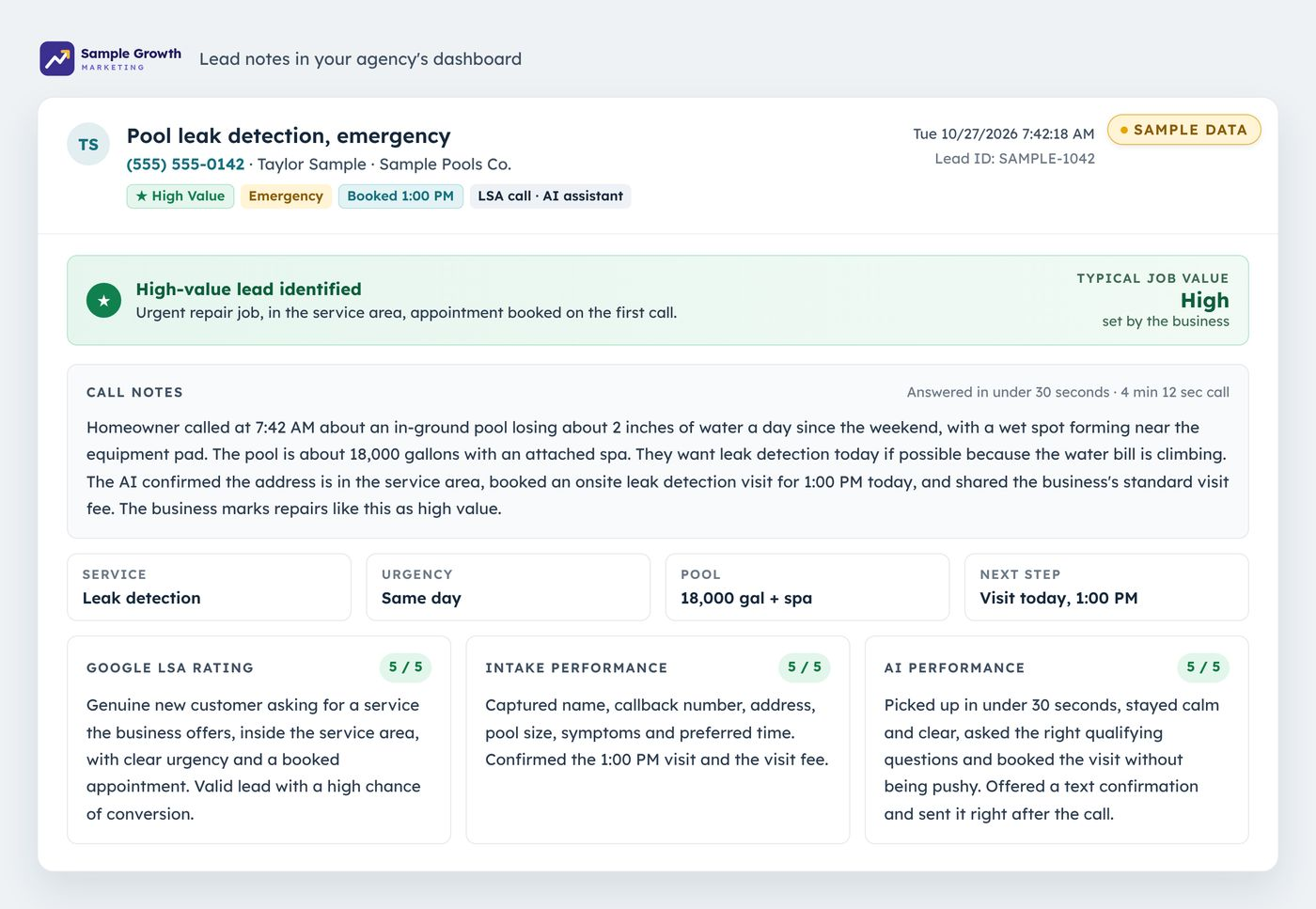
Notes on every lead, added to Performance Max
LSA Command writes notes on every lead and adds them to Performance Max. Each lead gets a summary of the call or message, a Google LSA rating and scores for how the AI and the intake team handled it. High-value leads identified. Adding notes to Performance Max applies to accounts on Google's Performance Max version of LSA.
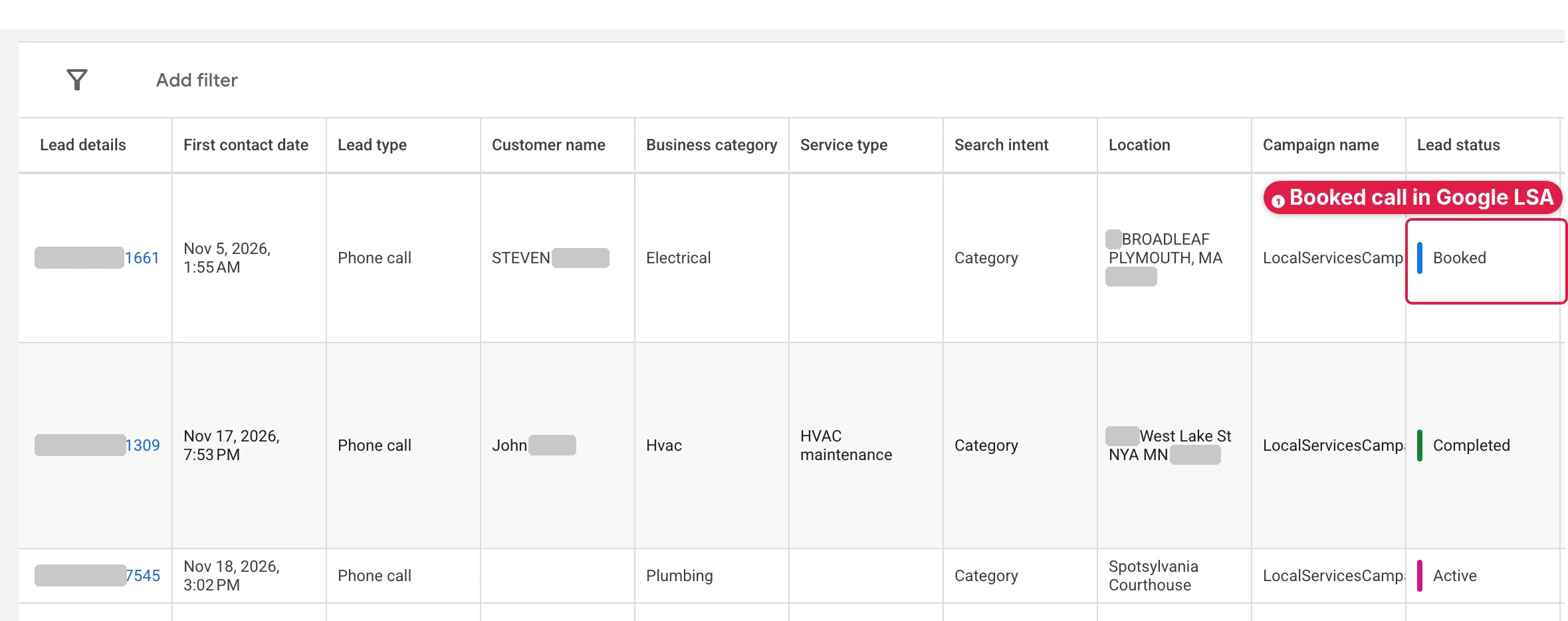
Booked calls marked Booked in Google LSA
When the AI books an appointment, LSA Command sets the lead's Lead Status in Google LSA to Booked. It also writes the job and appointment time into Additional Details. Billing Status is Google's own field and sits next to it. Your clients see booked calls, not just charges.

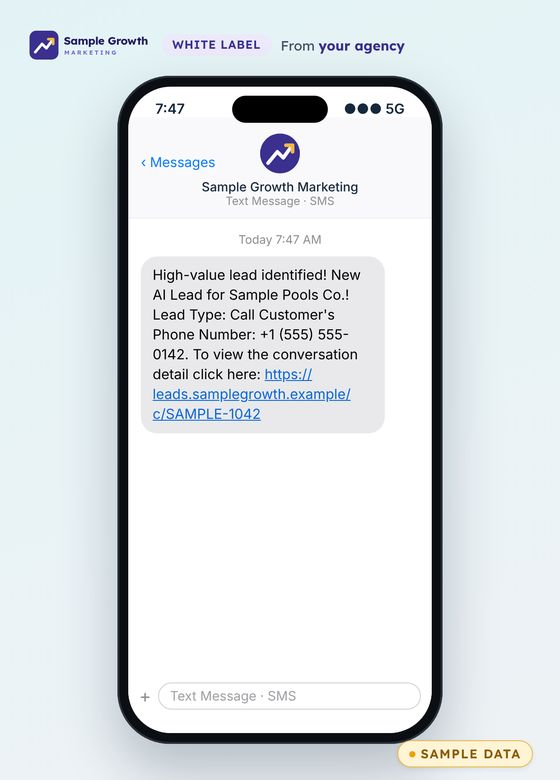
Notifications that come from your agency
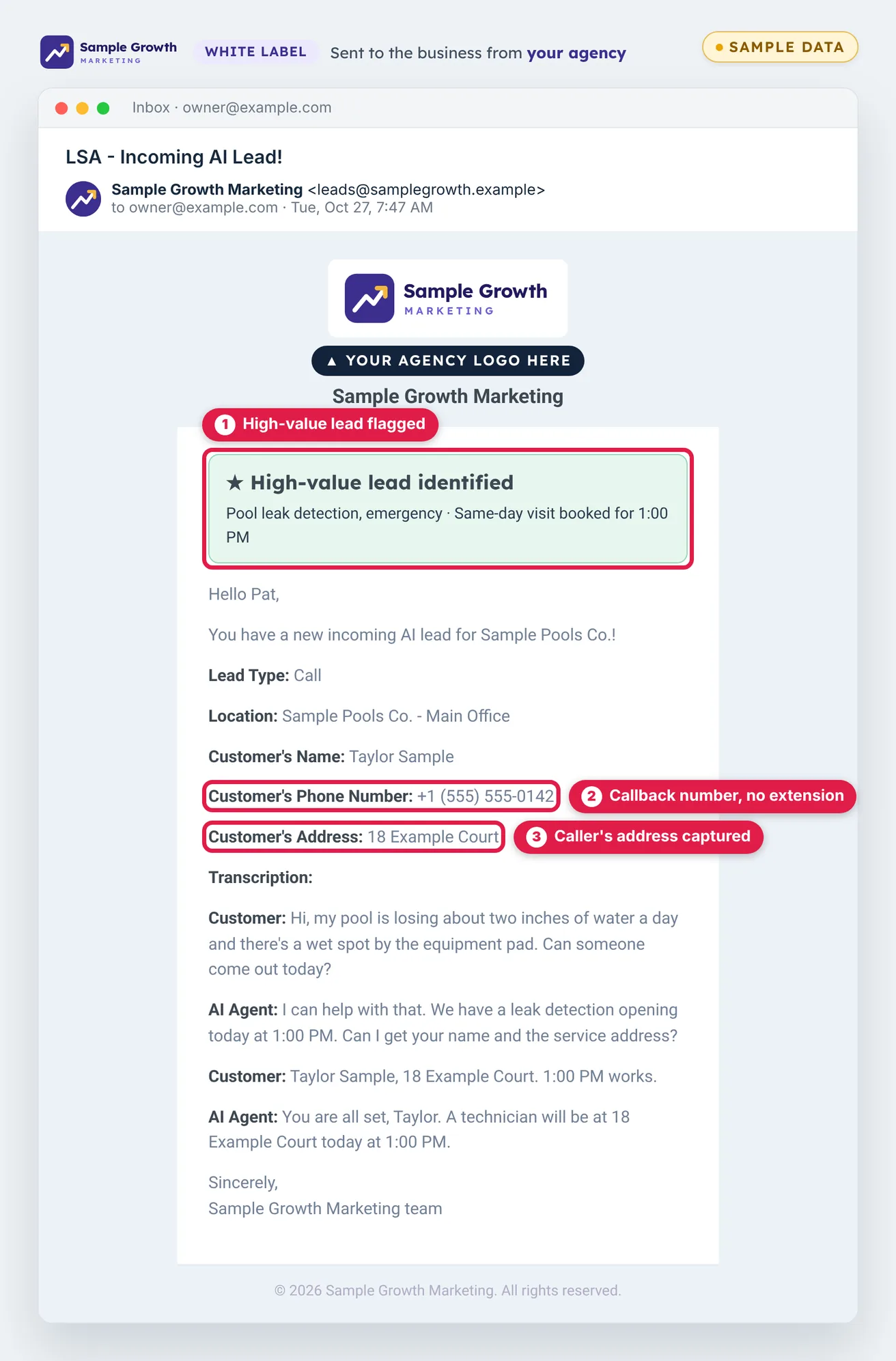
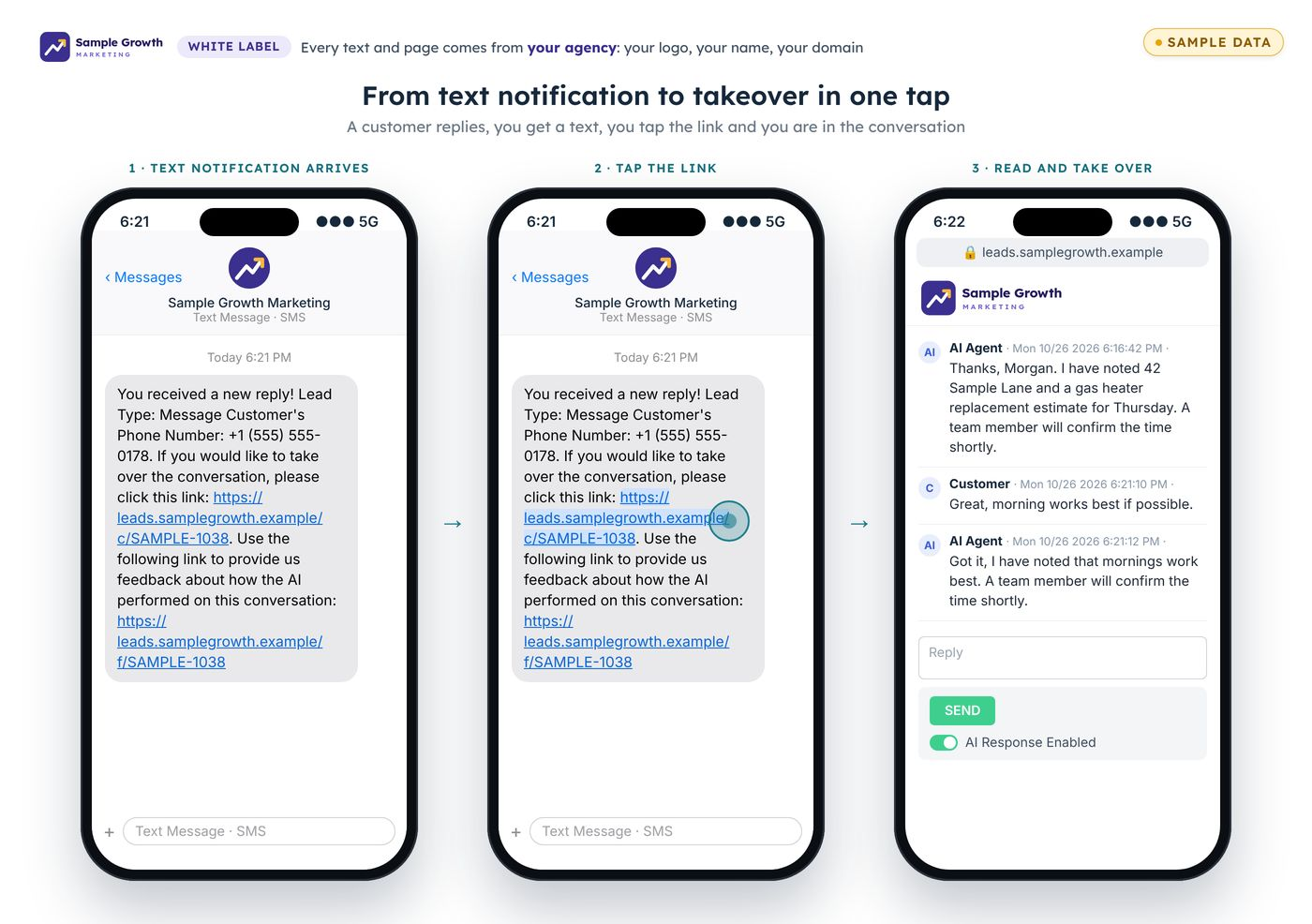
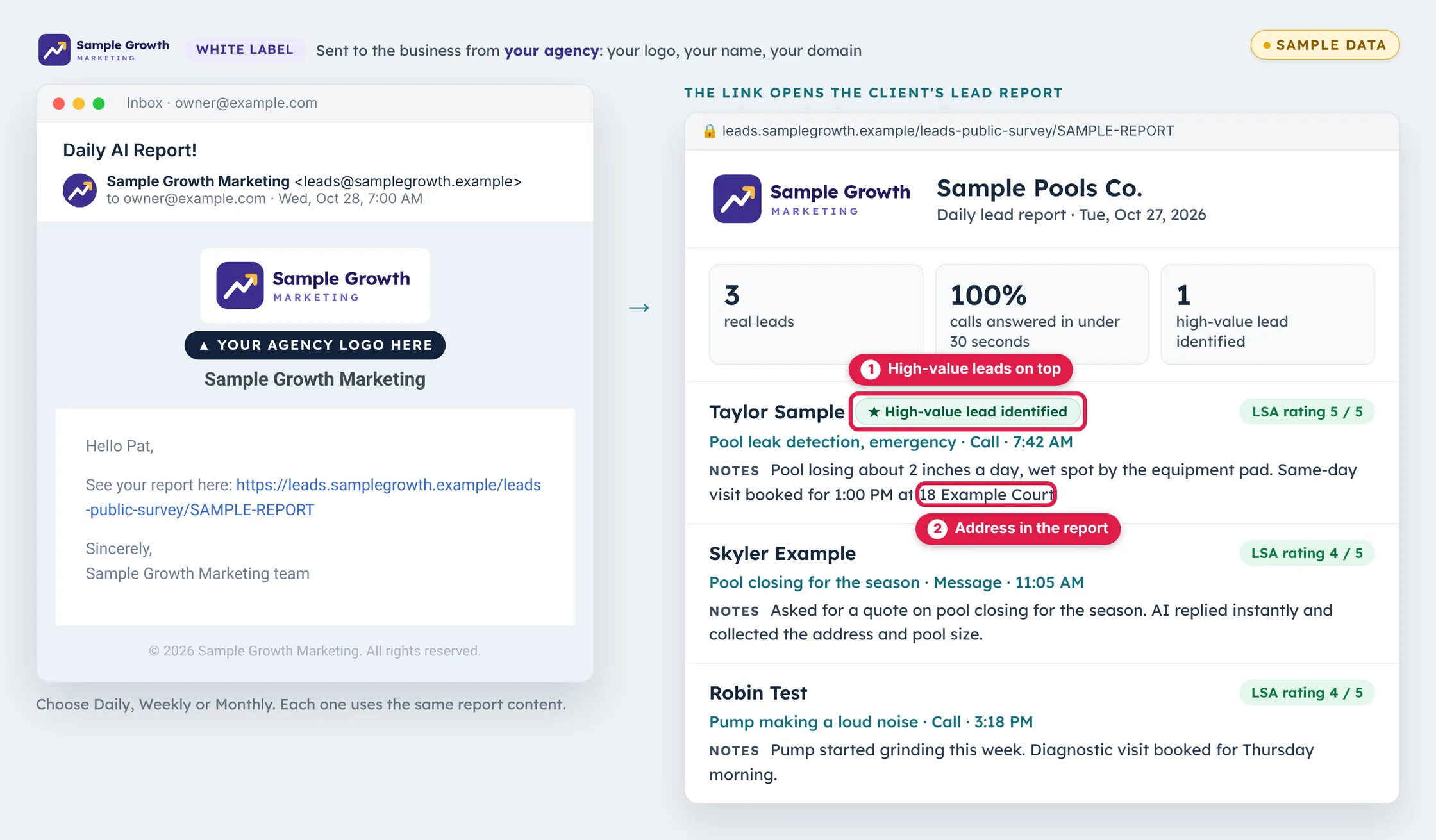
LSA Command is white label. As each lead is handled, the client gets a text and an email from your agency, under your logo and your white-label URL. The text gives the lead type, the customer's phone number and a link to the conversation. The email adds the customer's name, the location and the transcript.
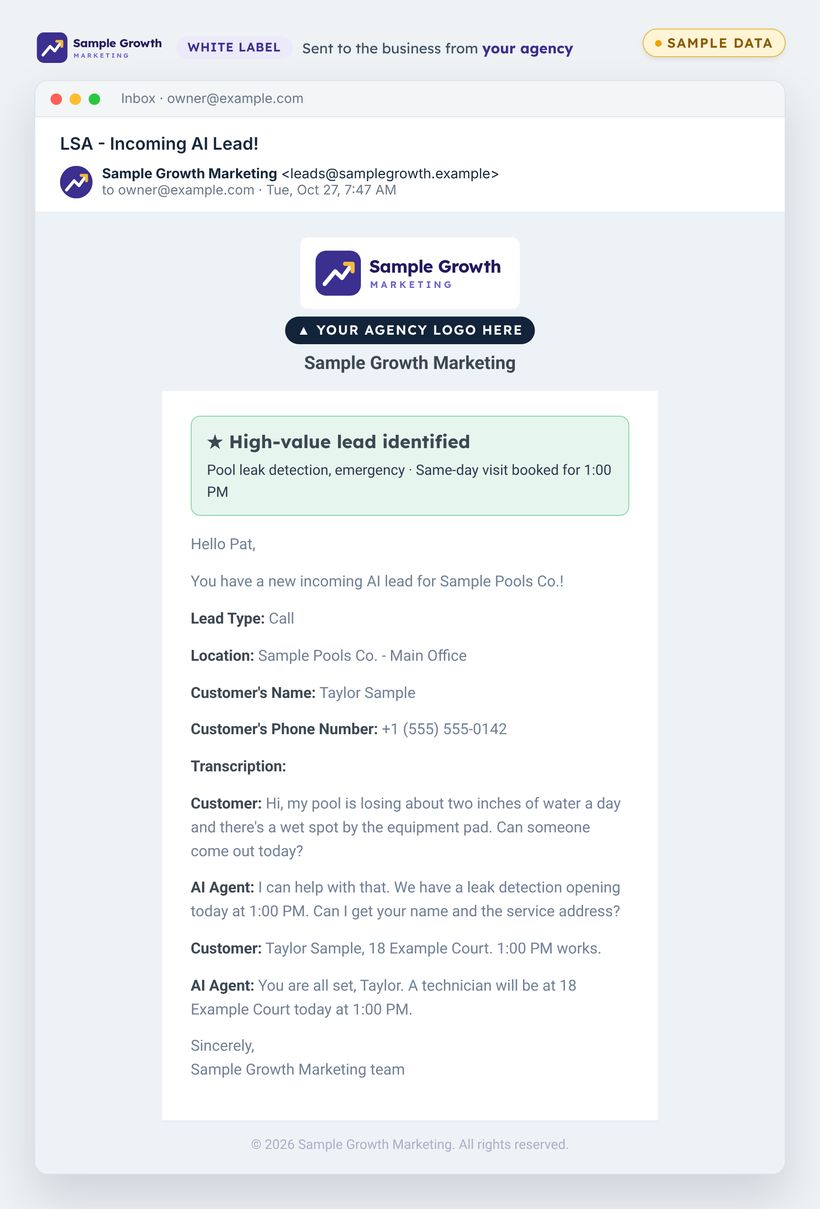
More notification emails from your agency
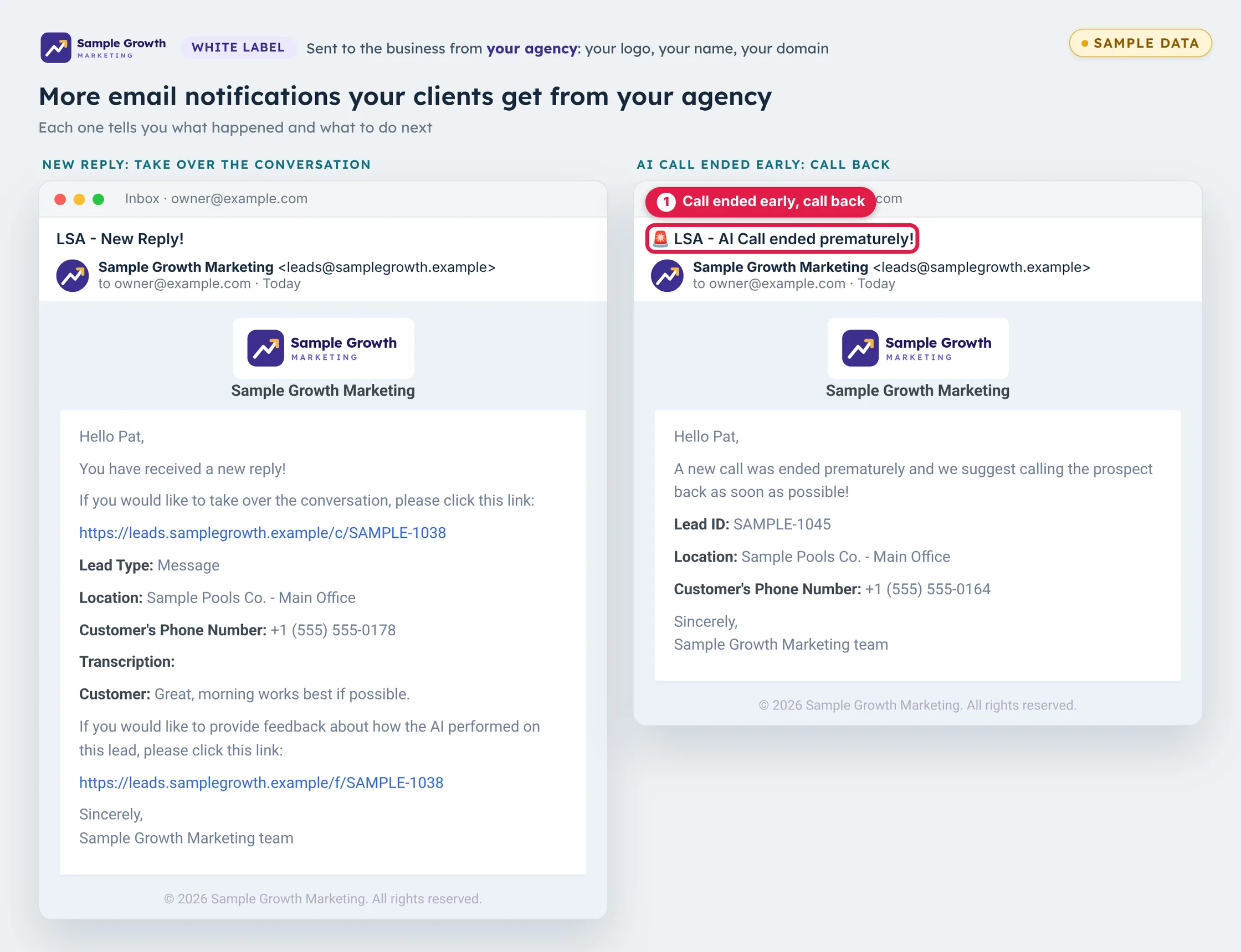
Your agency sends more than new lead emails. New lead emails flag high-value leads, so the best ones get called back first. One email says a customer replied and links to take over the conversation. Another says an AI call ended early and gives the number to call back.
Conversation takeover
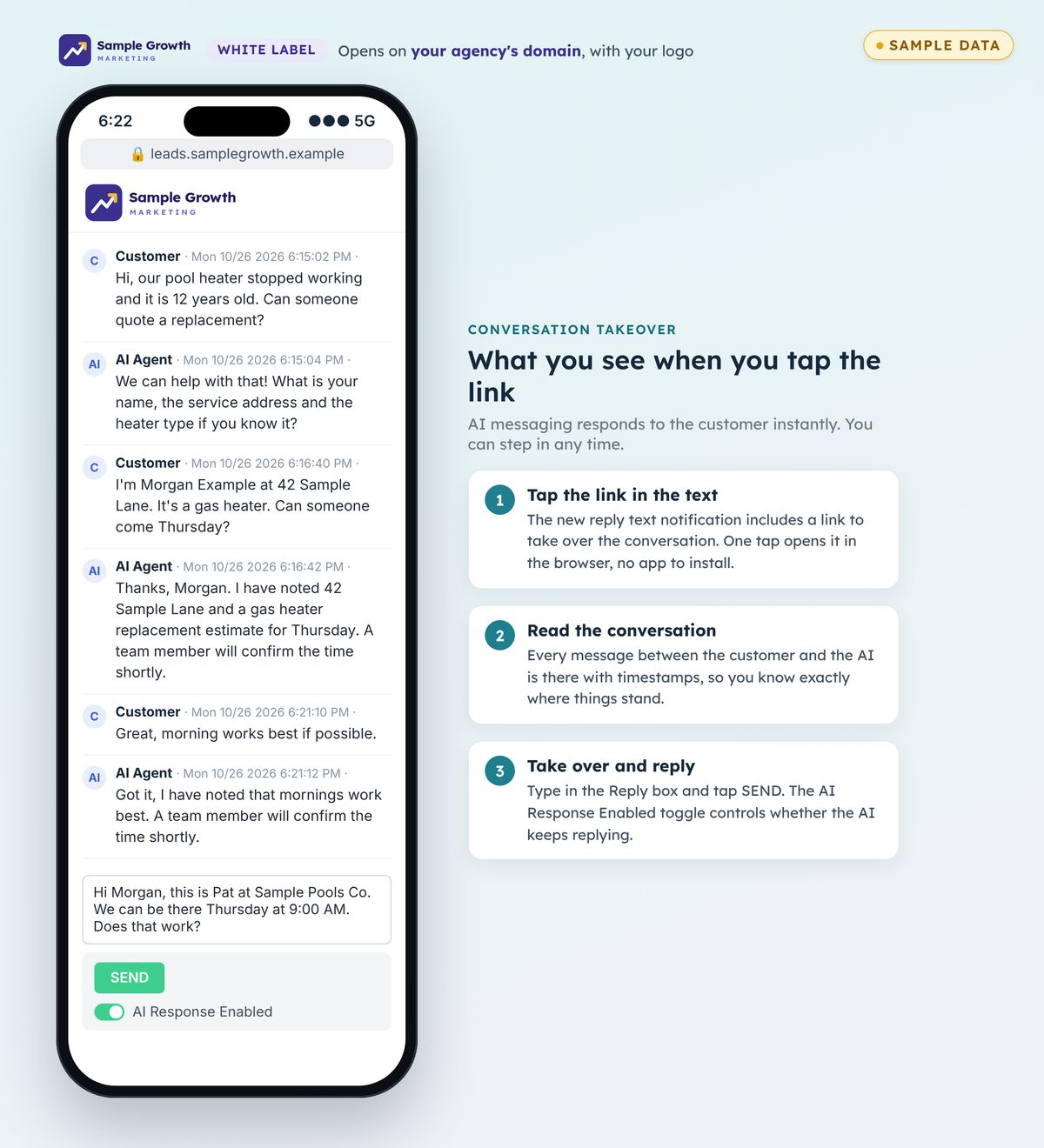
When a customer replies, the notification includes a link. One tap opens the conversation in the browser on your agency's white-label URL. A person can read every message, type a reply, and choose whether the AI keeps replying.
Daily AI report and monthly summary
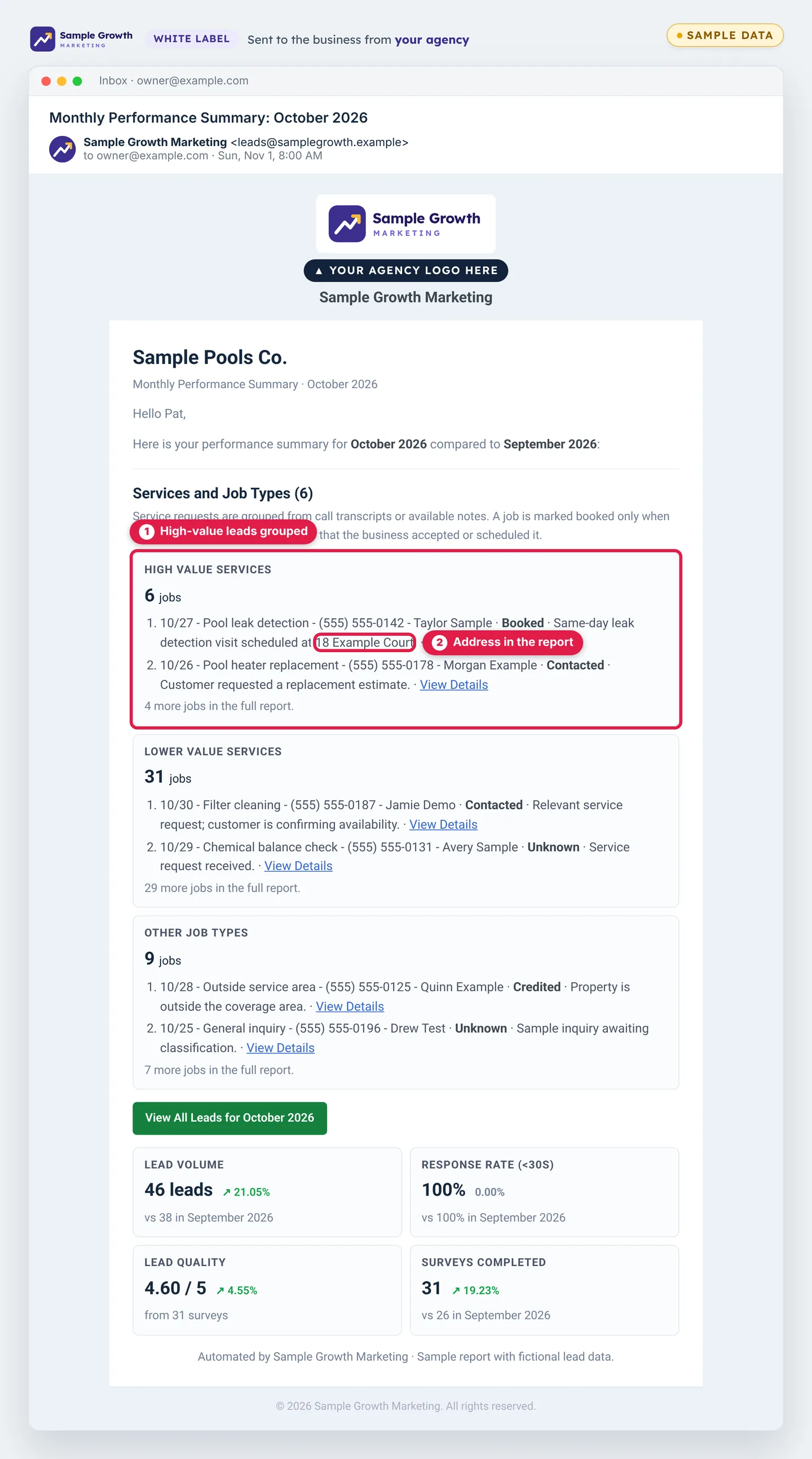
Reports go to the client from your agency, with your logo and your white-label URL. The daily AI report email links to the live lead report. The monthly summary recaps the month: jobs grouped by type, lead volume, response rate and lead quality, compared with the month before. The caller's address is captured and sent in the emails and in the daily and monthly reports. High-value leads are identified and tagged, so they rise to the top and get called back first.
Google's 1 to 5 lead survey, filled out for you
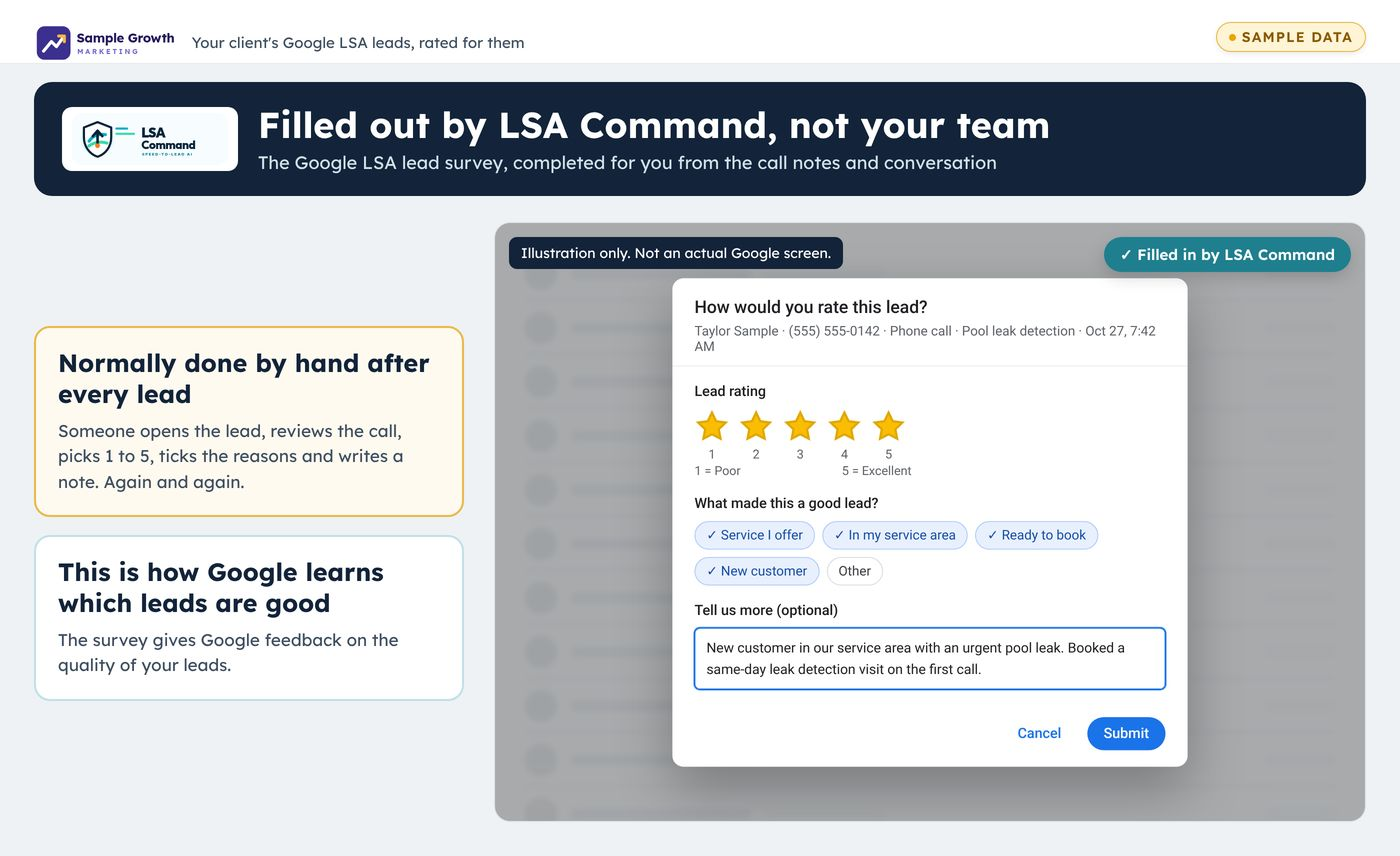
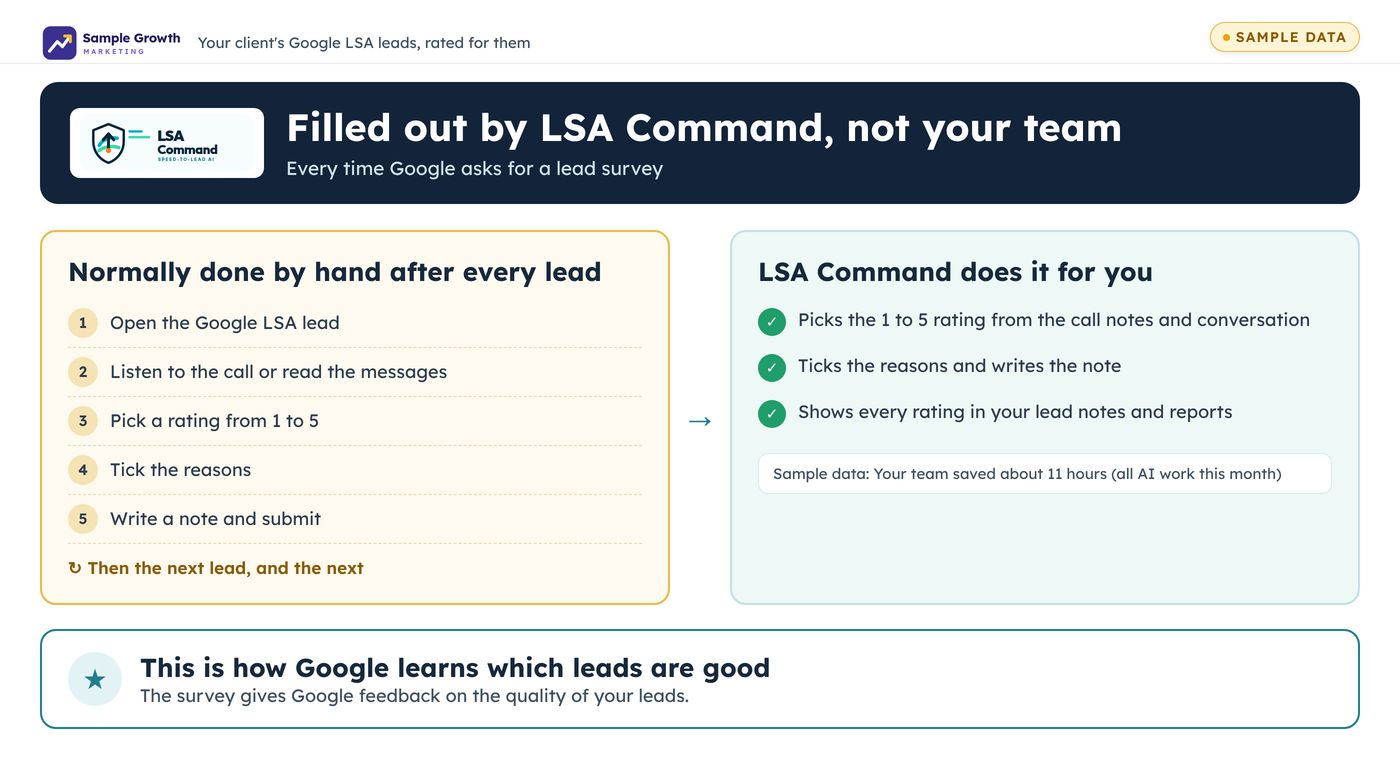
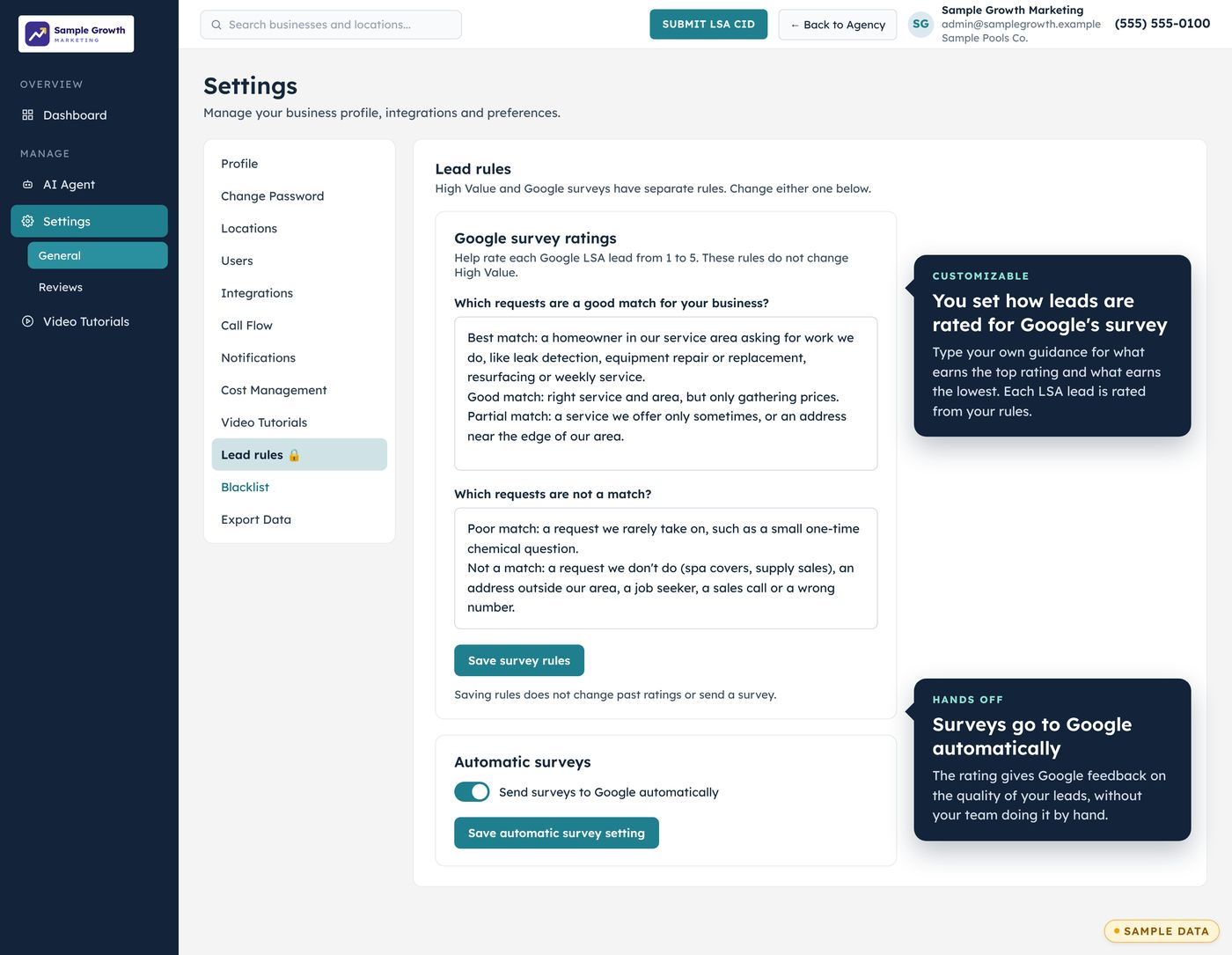
Google's lead survey asks for a rating from 1 to 5 and the reasons. LSA Command fills it out every time one comes up, so the client's team doesn't have to. The survey gives Google feedback on the quality of the client's leads.
Robocalls blocked
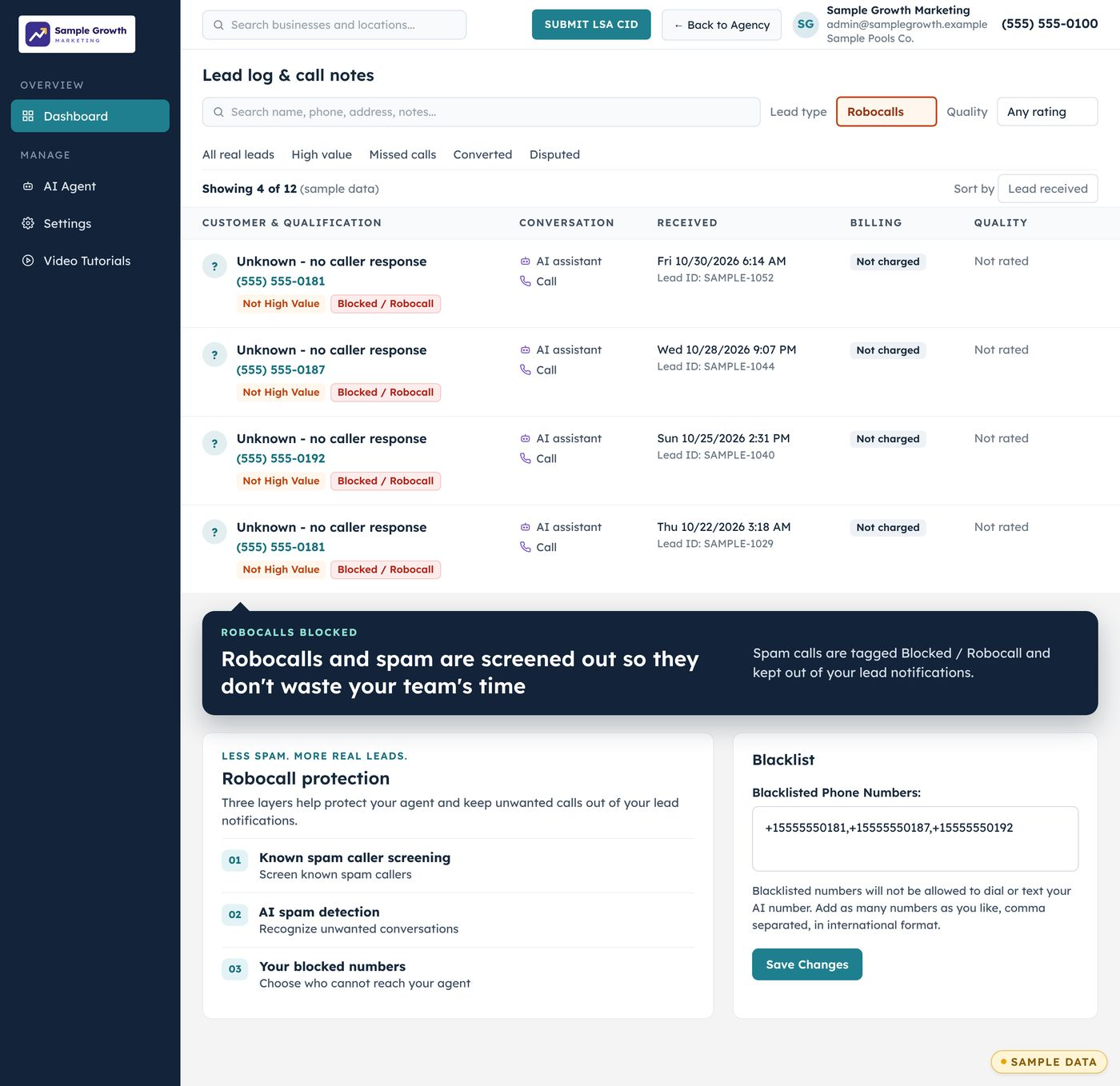
Robocalls and spam are screened out. They are tagged Blocked / Robocall in the lead log and kept out of lead notifications, so they don't take up the team's time. You can also add numbers to a blacklist.
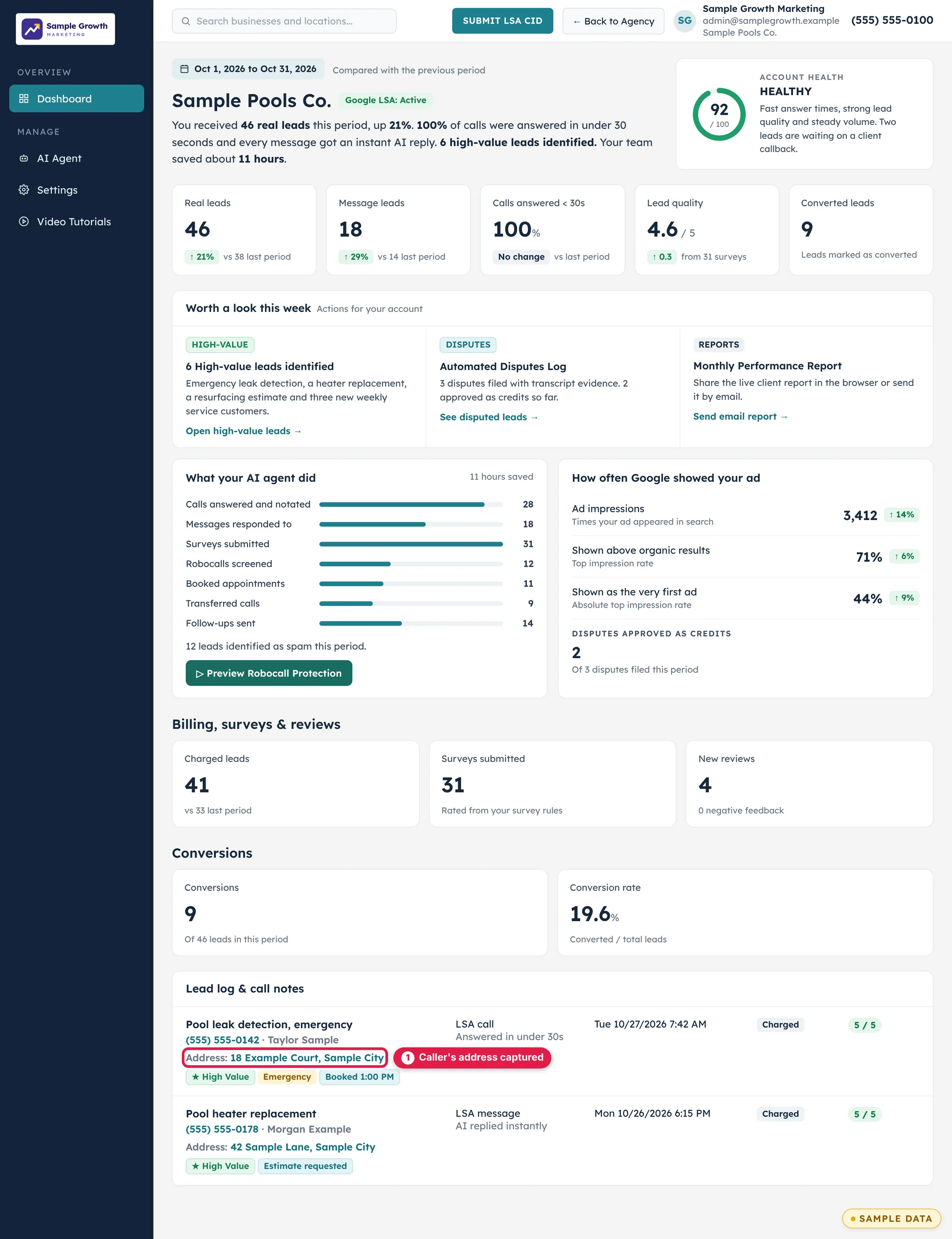
The new dashboard
One screen for each client, under your agency's logo: real leads, message leads, calls answered within 30 seconds, lead quality and converted leads, compared with the previous period. Below that, what the AI agent did, how often Google showed the ad, and the lead log with call notes. The address the caller gives shows in the lead log and the call notes.
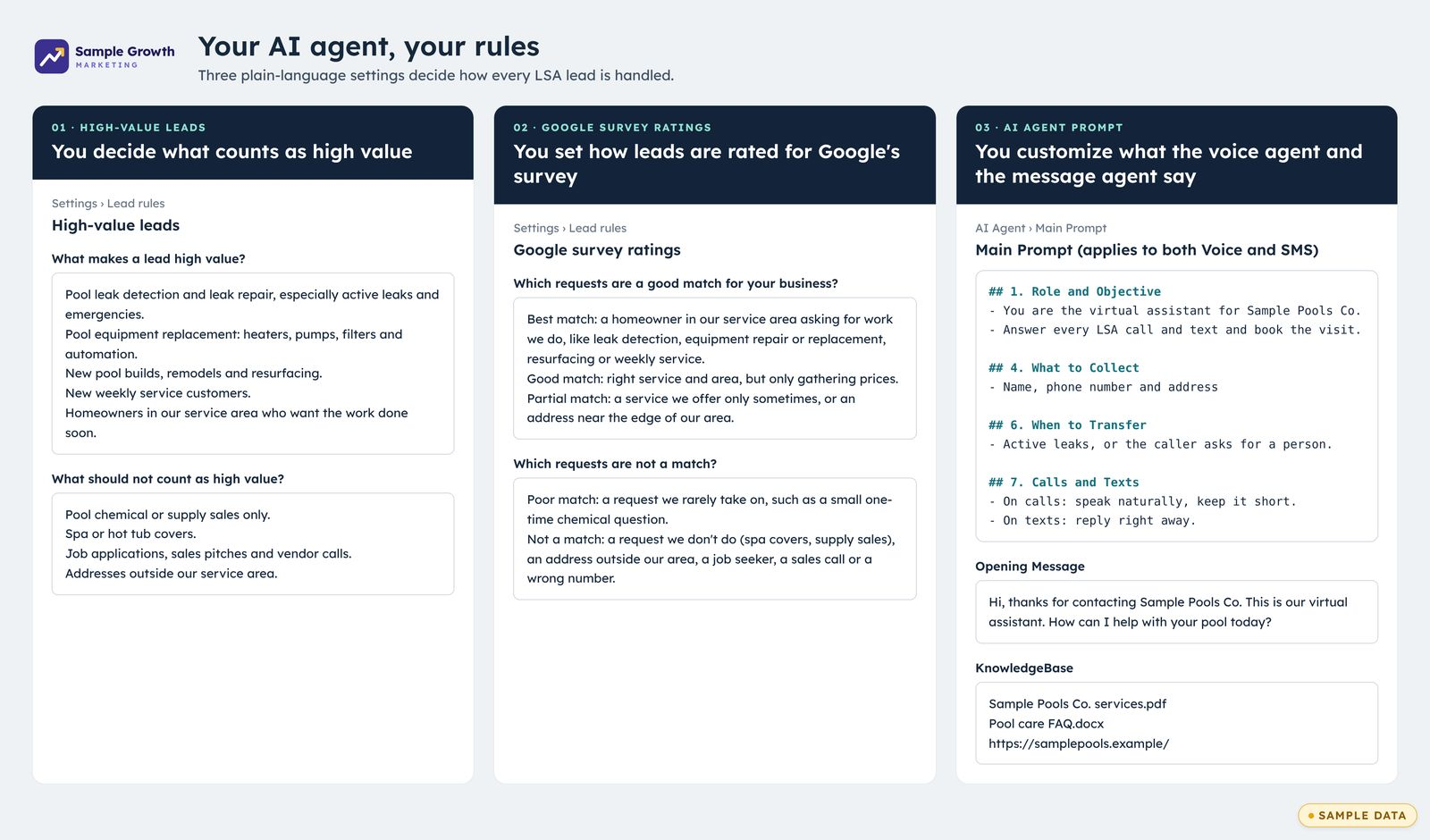
Your AI agent, your rules
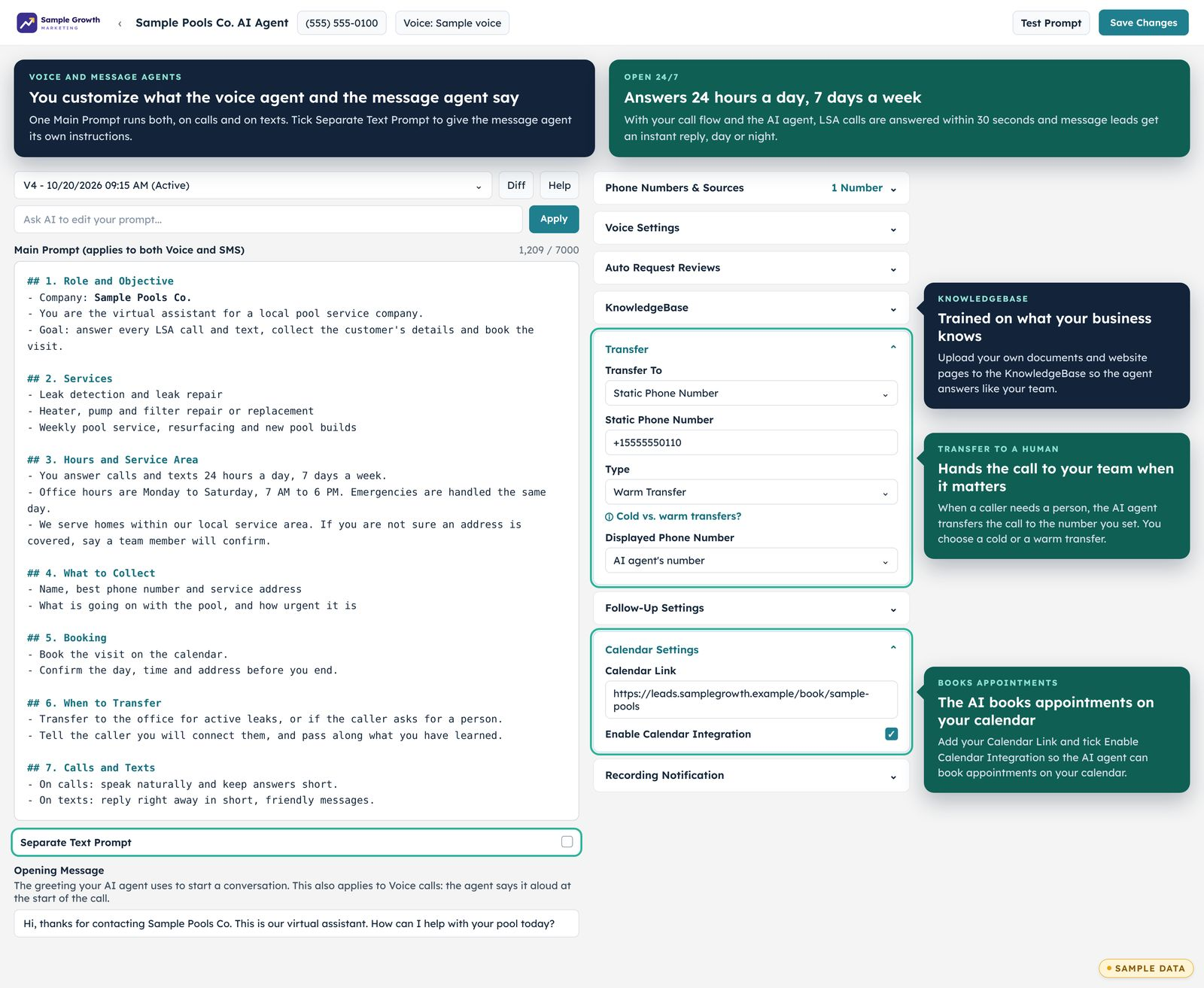
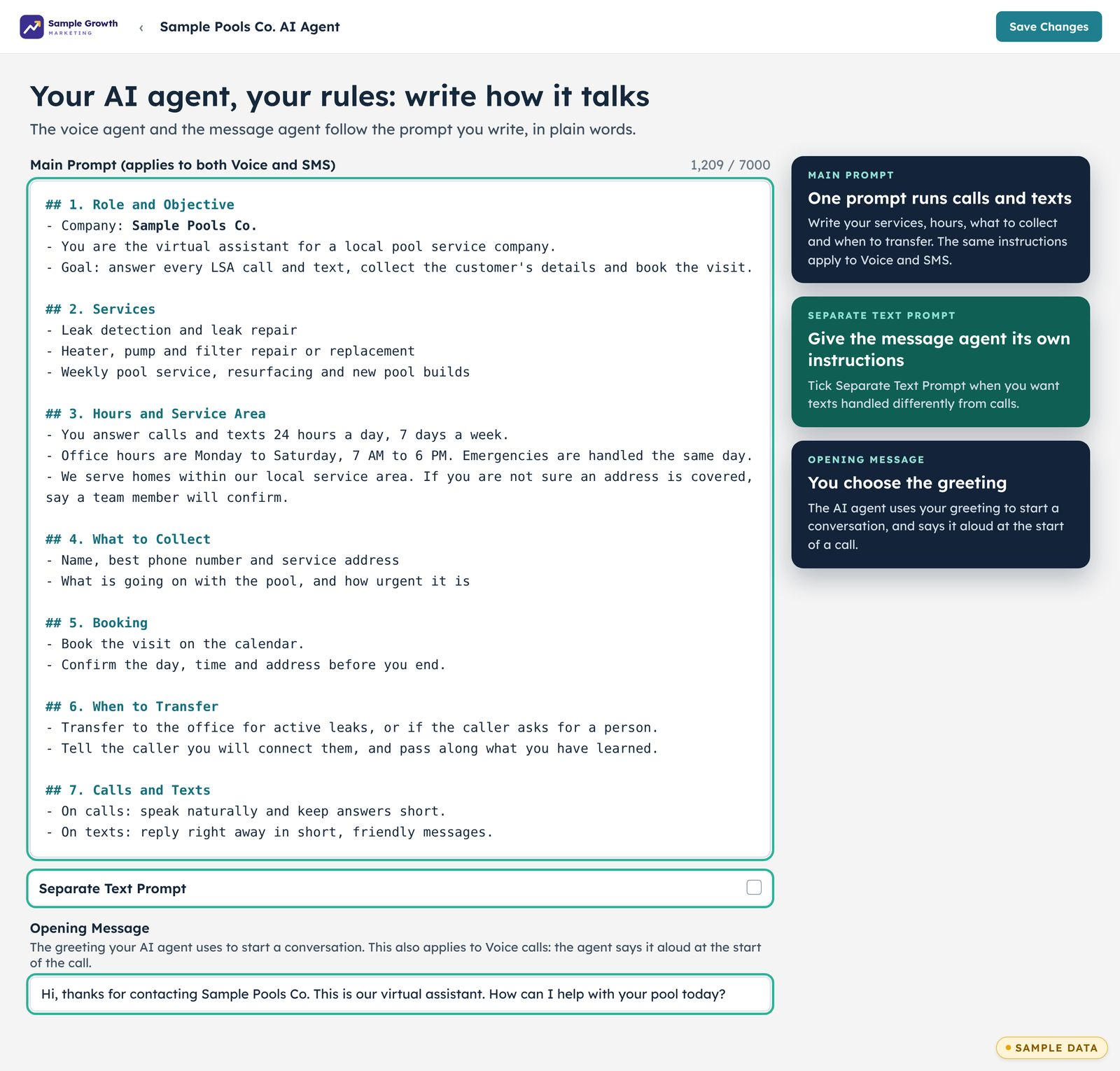
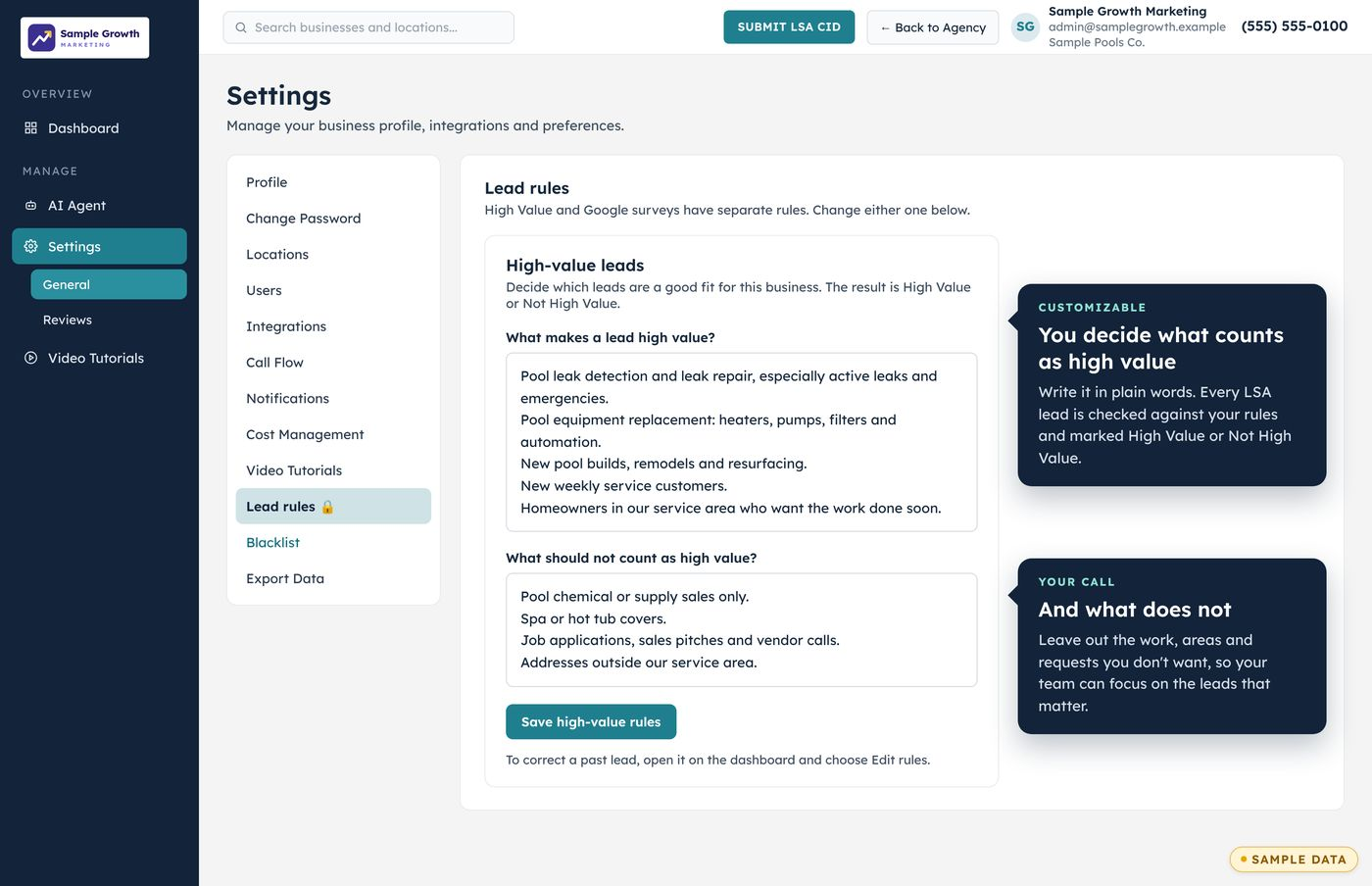
You write the rules in plain words. Say what counts as a high-value lead and what does not. Set how leads are rated for Google's survey. Write the prompts for the voice agent and the message agent. The agent answers 24/7, transfers the call to a human when the caller needs one, and books appointments on the calendar.
The call flow, step by step
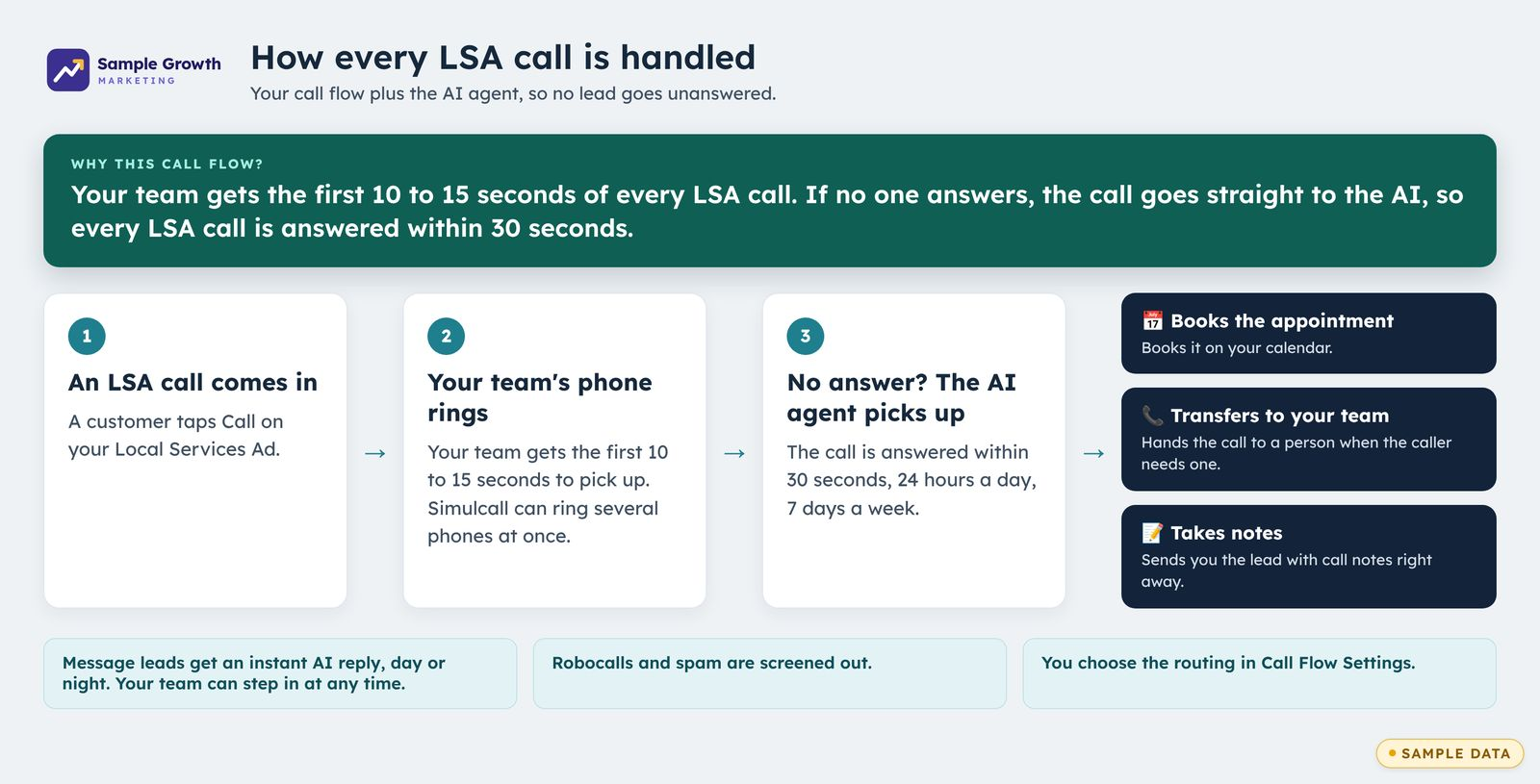
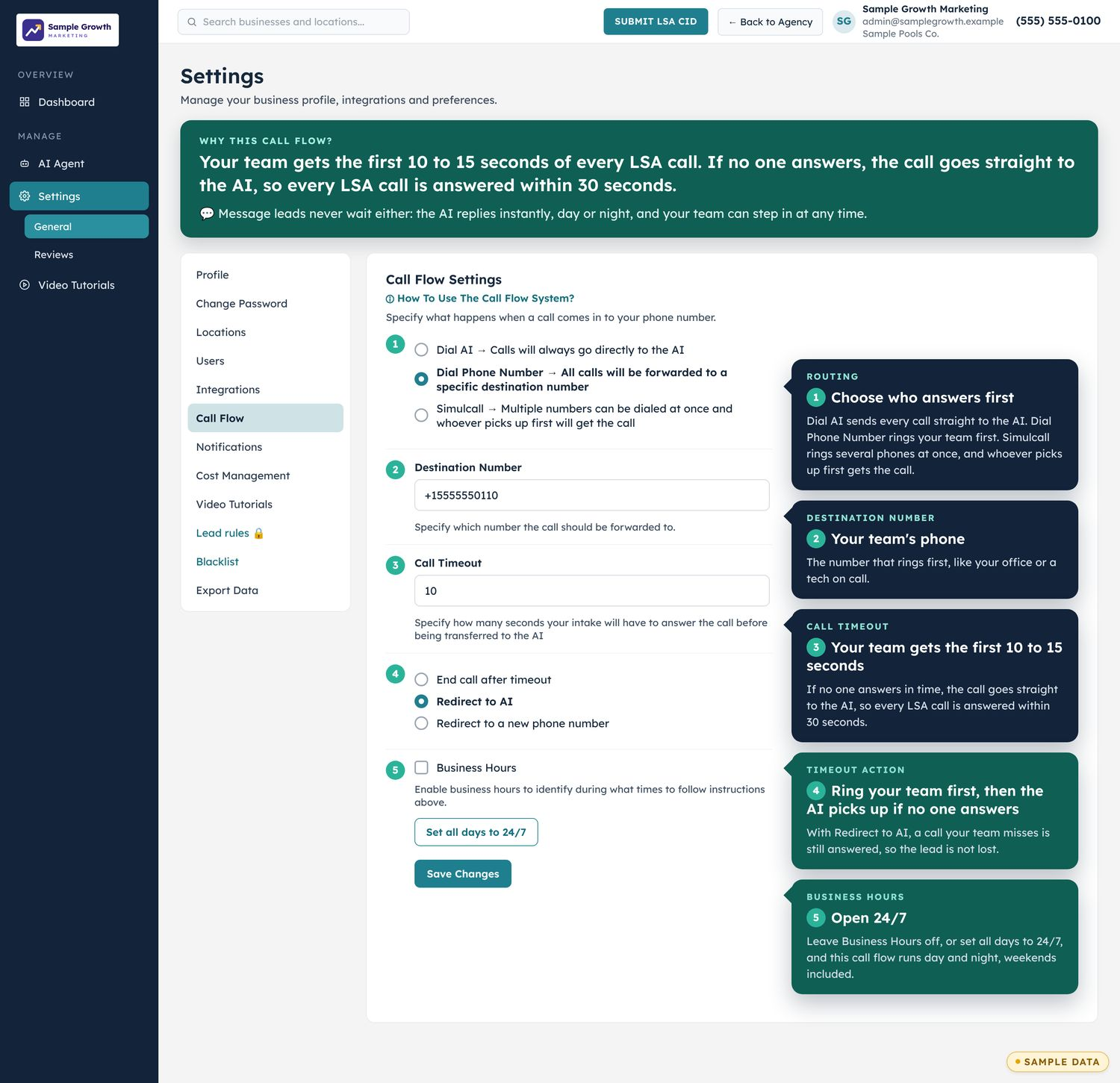
Your team gets the first chance at every call, and the AI is the backup. Here is each step.
- A customer taps Call on the client's Local Services Ad.
- Your team's phone rings. Your team gets the first 10 to 15 seconds of the call.
- If no one answers, the call transfers straight to the AI, so every call is answered within 30 seconds.
- The AI books the appointment, transfers to your team when the caller needs a person, and sends the lead with call notes.
You choose the routing in Call Flow Settings. For message leads, AI messaging responds instantly.
Tracking numbers for each campaign
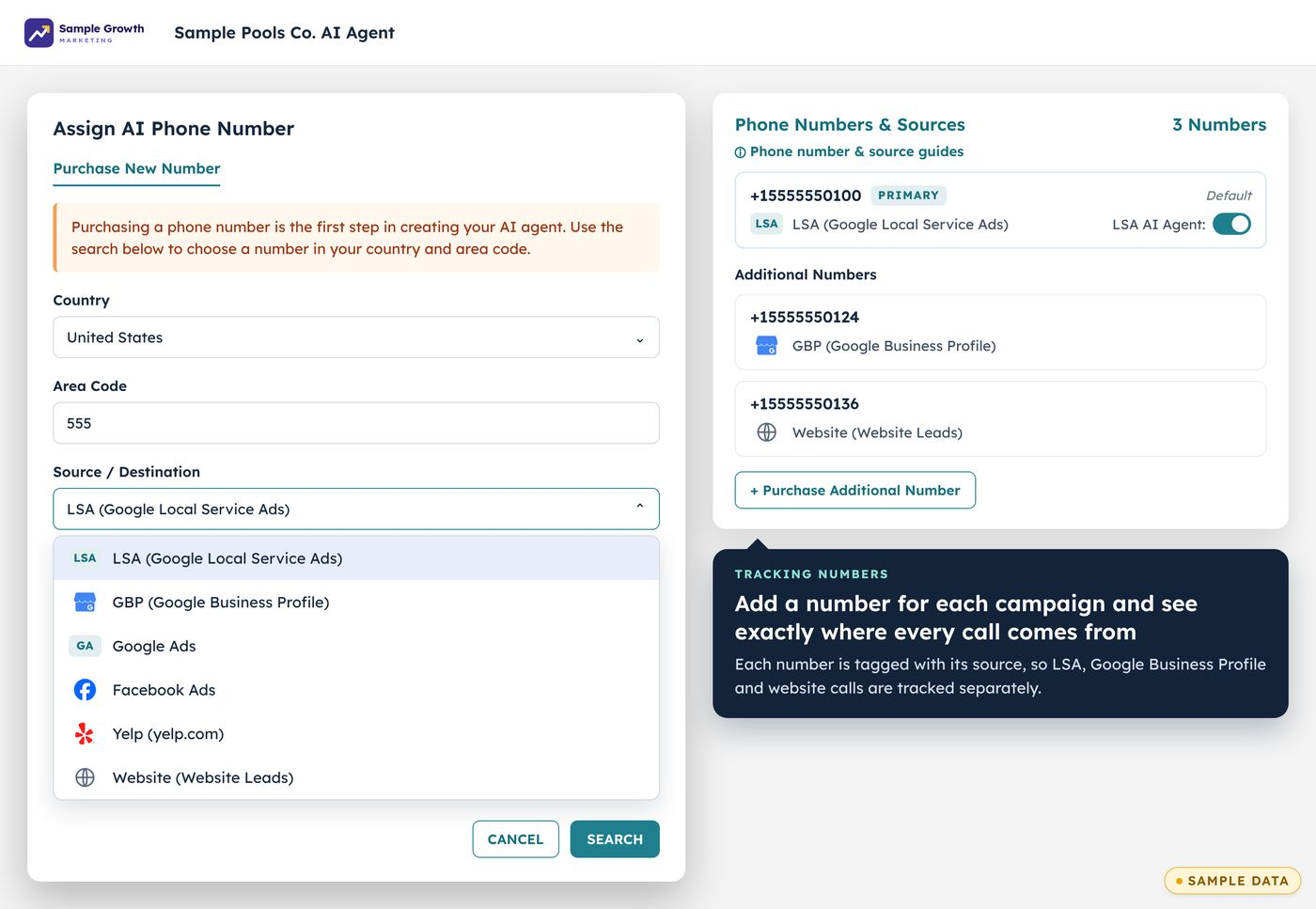
Buy multiple numbers to track how many calls come from each campaign. Each number is tagged with its source, so the calls from each one are counted separately.
Integrations
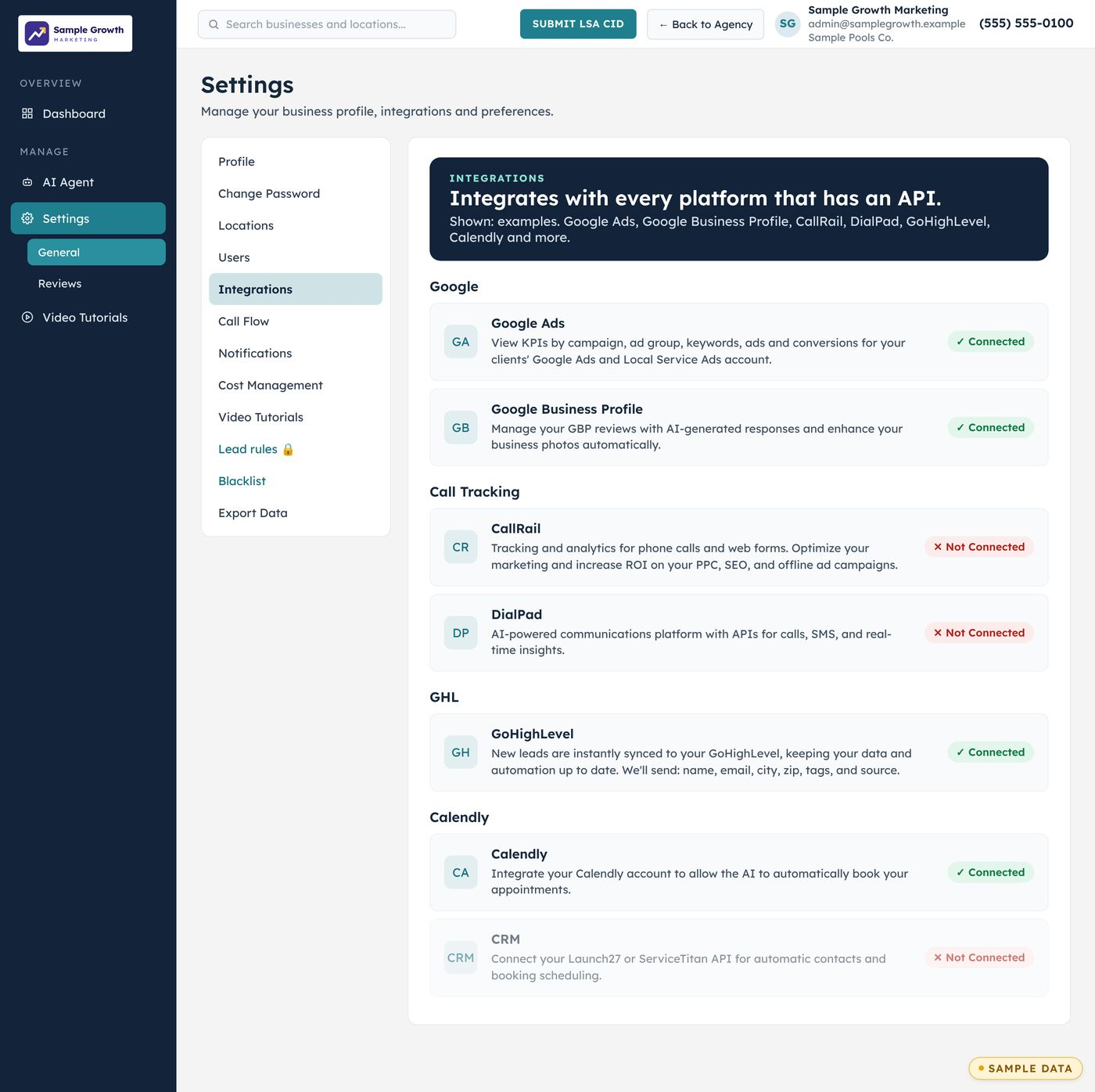
Integrates with every platform that has an API. Leads, calls and bookings flow into the tools your agency and your clients already use.
The gap in Google's own notification
Since Google retired the Local Services Ads mobile app in January 2025, its notification for a phone lead is an email. It says a potential customer called. It has no text message, no call recording, no summary and no transcript, and the business has to log in to learn more.
Emails get missed. In the LSA accounts we audit, 10 to 15% of paid leads routinely show no owner response at all, usually because the only notification was an email nobody saw. For an agency, that is a client paying for leads and blaming the ads. Our guide to Google LSA lead notifications covers what Google sends and how to set it up properly.
What is in the lead notes
- AI summary. A short read on who called, what they need and what was agreed on the call.
- Transcript. The full conversation, word for word.
- Recording. One tap to hear the call as it happened.
- Google LSA rating. The lead's rating, which is also sent back to Google as lead feedback. See lead disputes and credits.
- AI performance score. How well the AI handled the call. When the client's own team handles a lead, their intake is scored too.
- Google's lead survey, filled out. LSA Command fills out Google's 1 to 5 lead survey after every lead, so the client's team doesn't have to.
Notes are also written into the lead in the client's Google LSA dashboard, so it stops being a list of "Potential customer" entries.
Notes added to Performance Max
Google is moving Local Services Ads into Google Ads as Performance Max campaigns. For accounts on Google's Performance Max version of LSA, the notes go with them: LSA Command writes notes on every lead and adds them to Performance Max.
If you are planning the move for your client book, see our guide to LSA's move into Performance Max.
High-value leads identified
Not every lead deserves the same urgency. LSA Command labels the best leads, and the label follows the lead: the lead notes, the lead list and the summary at the top of the client dashboard.
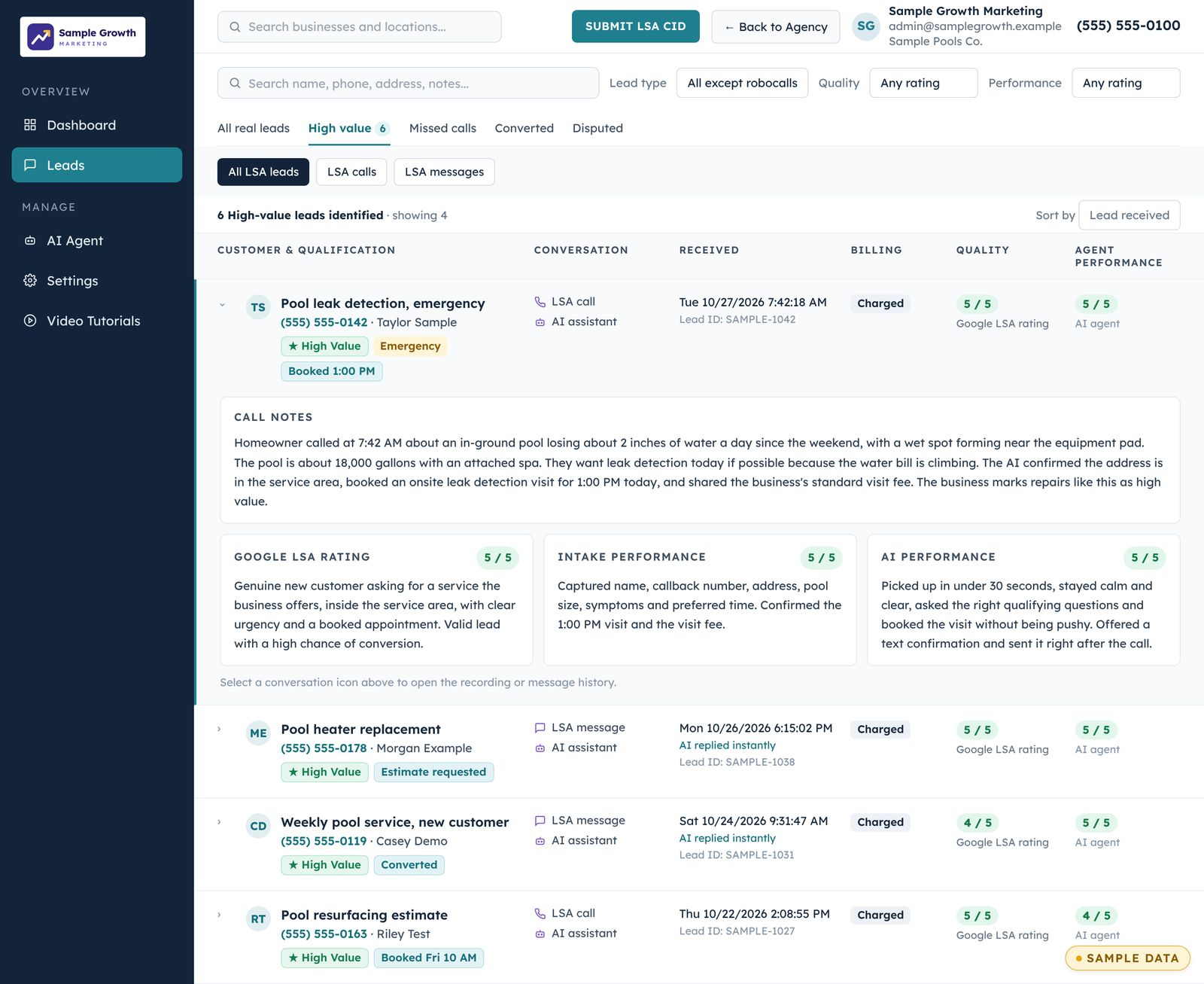
For the client, that means the owner or office manager knows which callback to make first. For your agency, it is the simplest way to show a client that the leads they paid for were worth having.
Text and email notifications
- Both channels. A text and an email for each lead, sent as the lead is handled.
- To the right people. The client, the agency, or both.
- Enough to act on. The text gives the lead type, the customer's phone number and a link to the conversation. The email adds the customer's name, the location and the transcript.
- A way in. The link also lets a person take over the conversation themselves.
- No noise from spam. Calls flagged as robocalls are logged and do not send a notification.
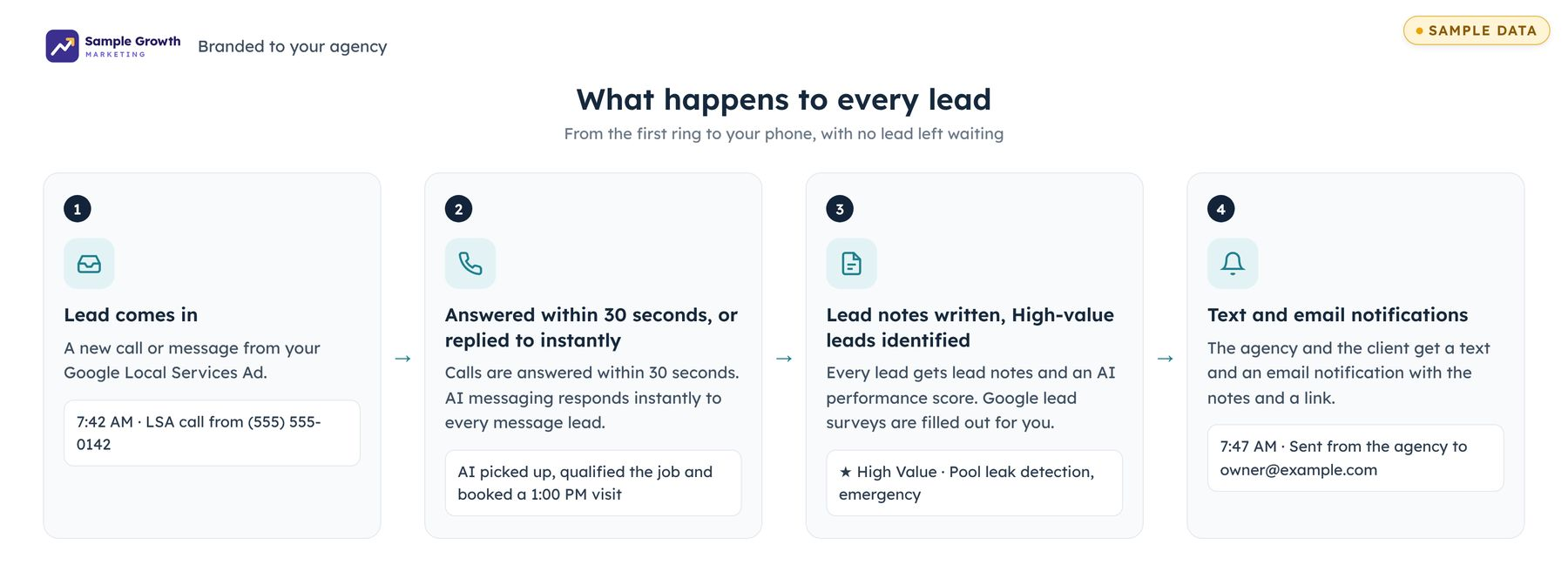
Notes and notifications are the last two steps of one flow. Calls ring the client's team first for 10 to 15 seconds. If nobody picks up, the call transfers and the AI answers instantly, so calls are answered within 30 seconds. Message leads get an instant AI reply. Either way, the notes and the notification follow.
A callback number with no extension
LSA Command captures the caller's number on each Google LSA lead. The number comes from call tracking, so there is no extension attached. The business owner can call the person straight back with one tap. Numbers shown inside Google Ads can carry an extension. The same number goes in the text, the email, the dashboard and the lead notes, so it is always easy to find.
What it changes for an agency
Fewer "the leads are bad" calls
The client reads what each caller wanted and hears the recording, instead of guessing from a phone number.You see what the client sees
Put your account manager on the notification list and you know about a hot lead when the client does.Your brand on it
White-label options keep your agency out front, including email sent from a mailbox on your own domain.Proof at reporting time
Lead notes, ratings and the count of High-value leads identified give your monthly report something concrete to point at.Frequently asked questions
What is in the lead notes?
Every lead gets an AI summary, the full transcript and the call recording, plus a Google LSA rating and an AI performance score.
Are the notes added to Performance Max?
Yes. LSA Command writes notes on every lead and adds them to Performance Max, for accounts on Google's Performance Max version of LSA.
Who receives the notifications?
Text and email notifications go to the client, the agency, or both. You decide who is on the list for each client.
What does High-value leads identified mean?
It is the label LSA Command puts on the best leads. It appears in the lead notes, in the lead list and in the dashboard summary, so the client's team knows which leads to call back first.
Are notifications sent for message leads as well as calls?
Yes. Calls and message leads both get lead notes and a text and email notification.
Do robocalls trigger a notification?
No. Calls flagged as robocalls are logged in the dashboard and do not send a notification.
Does this replace Google's own lead email?
No. Google still sends its own email for a phone lead. LSA Command adds a text, a fuller email and lead notes, so the client does not have to log in to find out what the caller wanted.
Can notifications carry our agency's brand?
Yes. LSA Command has white-label options, including sending email from a mailbox on your agency's domain. The setup guide shows how.
How much does it cost?
Notes and notifications are included in LSA Command at $200 per month per client. See pricing.
Get an LSA account audit on your walkthrough.
Book a 30-minute walkthrough with our team and bring one client's Google LSA account. We pull its response rate, lead quality and lead volume live. You share your screen, so no passwords are needed. Rather talk now? Call or text 989-712-4370.
LSA Command is sold only to marketing agencies, at $200 per month per client. See pricing.
Book a 30-minute walkthrough